上节初始化了全景浏览这个场景:
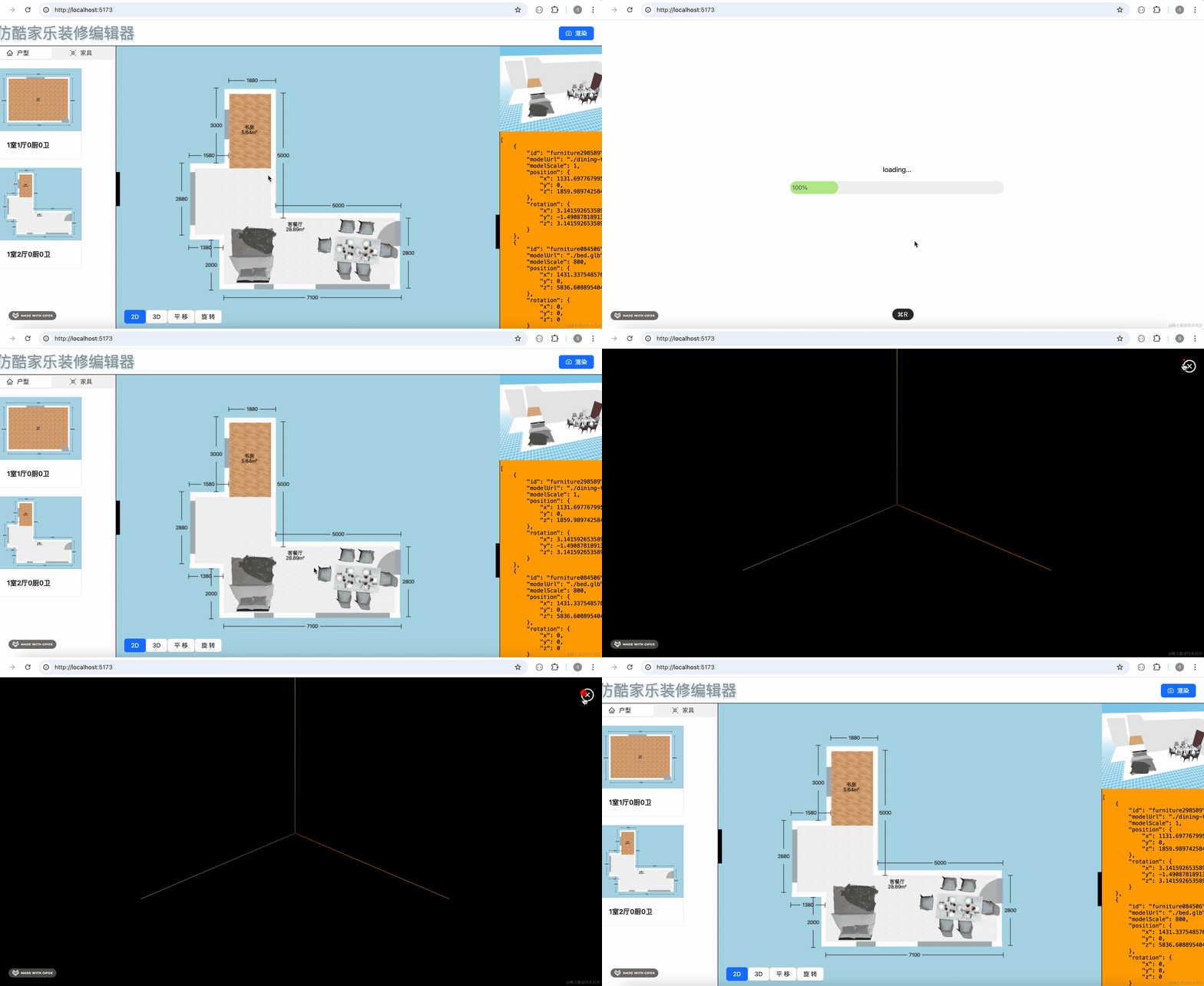
因为它和编辑器是不一样的,主要是为了看效果:
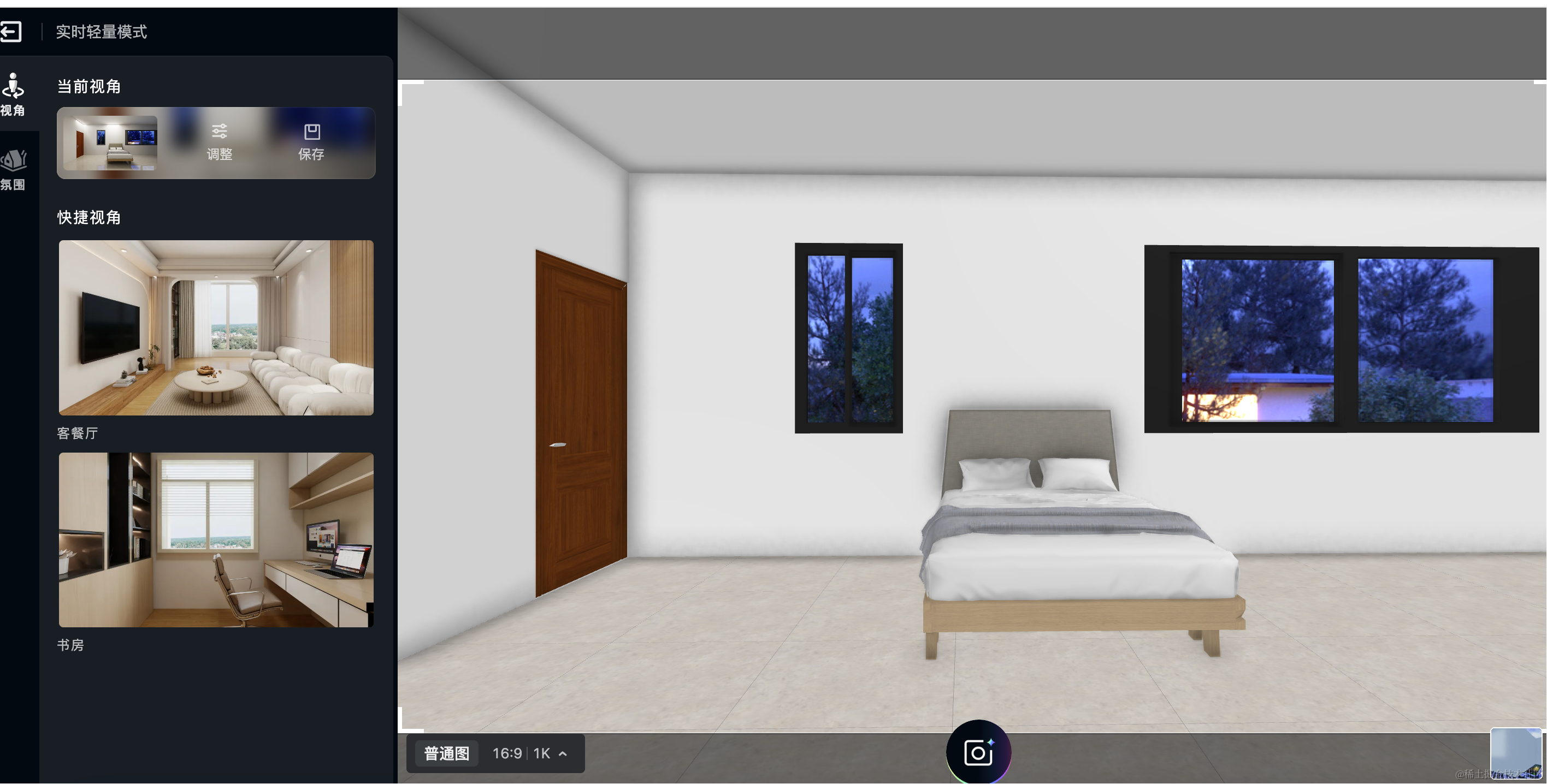
很多地方都是不同的,所以我们要单独渲染。
这节继续来把房子渲染出来。
还是用同一份 data
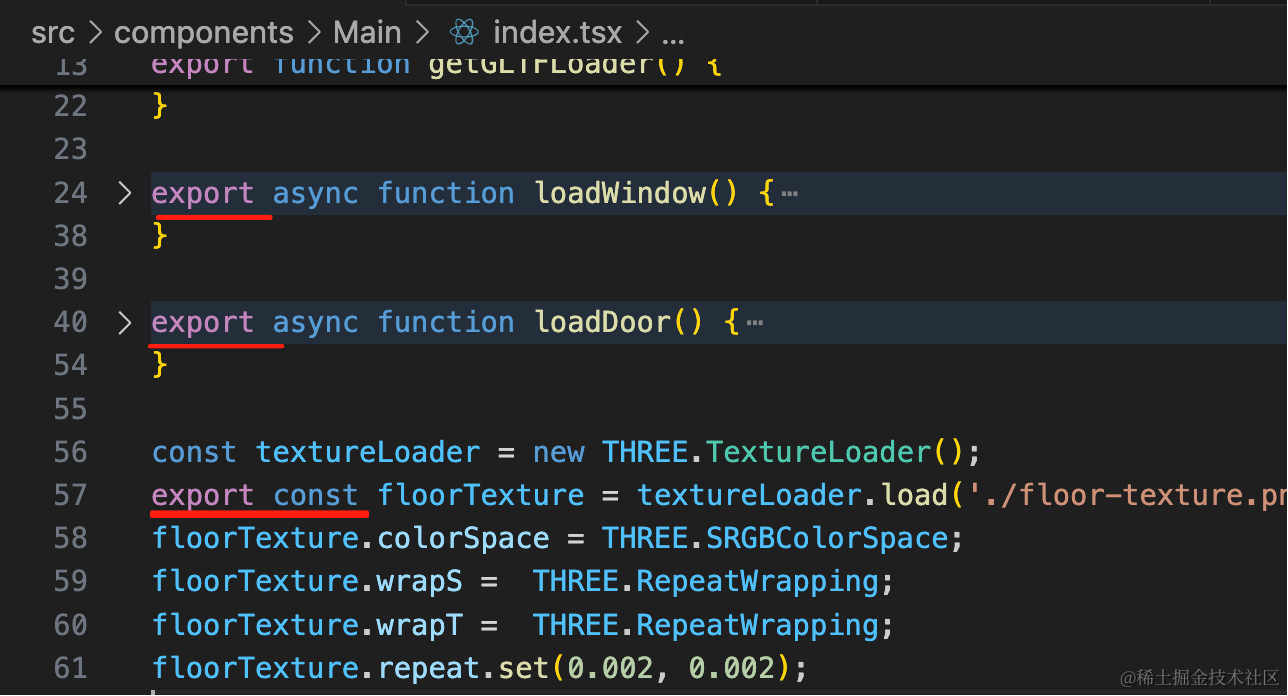
直接把前面的代码复制过来就行:
把这三个方法、属性导出:
然后在 Preview 组件里加上和之前一样的渲染逻辑:
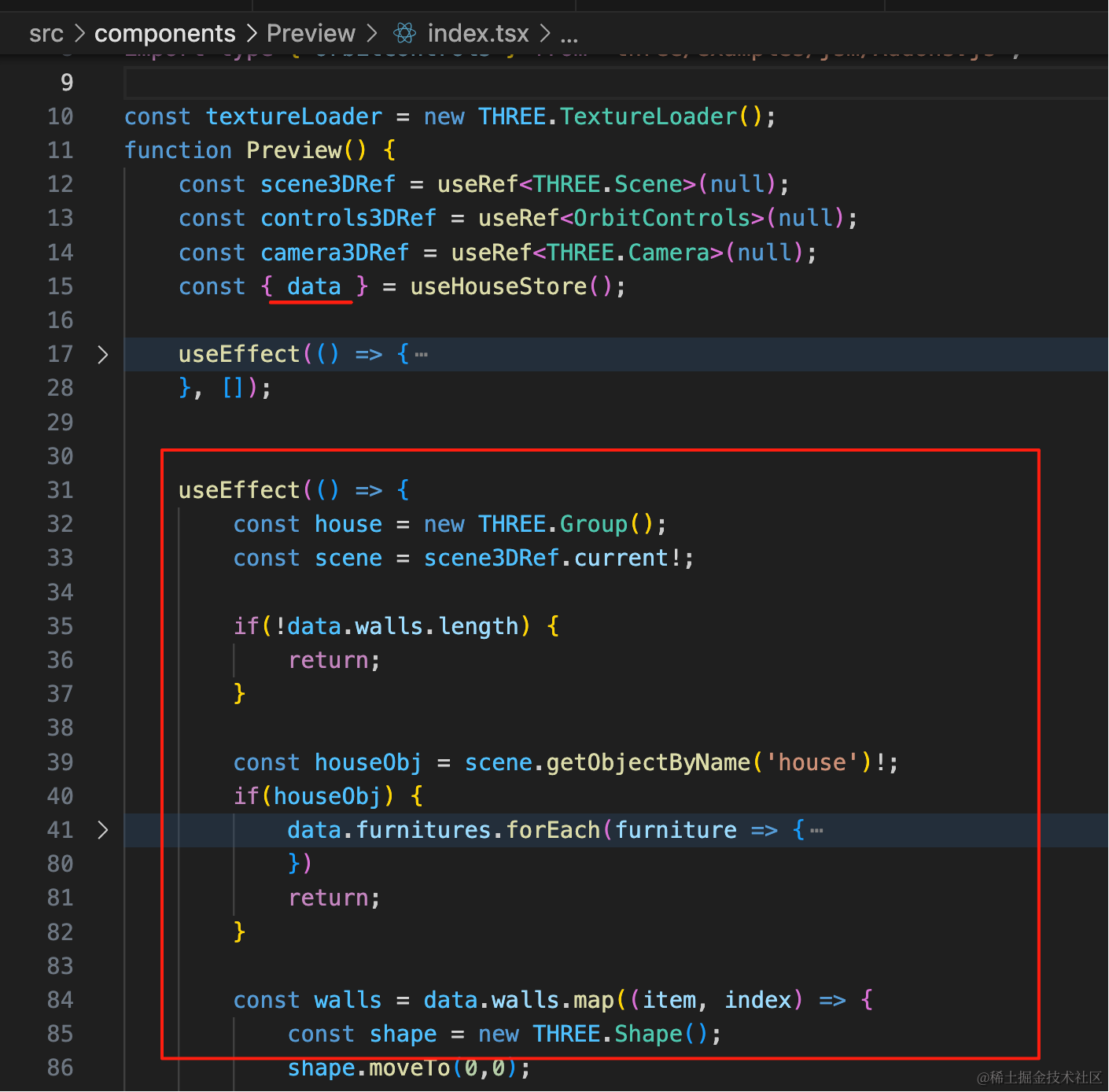
就是拿到 data 渲染
import { CloseCircleOutlined } from "@ant-design/icons";
import { useEffect, useRef } from "react";
import { initPreviewScene } from "./init-preview";
import { useHouseStore } from "../../store";
import * as THREE from 'three';
import { modelMap } from "../../App";
import { floorTexture, loadDoor, loadWindow } from "../Main";
import type { OrbitControls } from "three/examples/jsm/Addons.js";

const textureLoader = new THREE.TextureLoader();
function Preview() {
    const scene3DRef = useRef<THREE.Scene>(null);
    const controls3DRef = useRef<OrbitControls>(null);
    const camera3DRef = useRef<THREE.Camera>(null);
    const { data } = useHouseStore();

    useEffect(() => {
        const dom = document.getElementById('preview-container')!;
        const { scene, camera, controls } = initPreviewScene(dom);

        scene3DRef.current = scene;
        camera3DRef.current = camera;
        controls3DRef.current = controls;

        return () => {
          dom.innerHTML = '';
        }
    }, []);

    useEffect(() => {
        const scene = scene3DRef.current;
        const house = scene?.getObjectByName('house');

        if(data.walls.length) {
            return;
        }

        house?.parent?.remove(house);

        house?.traverse(item => {
            let obj = item as THREE.Mesh;
            if(obj.isMesh) {
                obj.geometry.dispose();
            }
        })
    }, [data])


    useEffect(() => {
        const house = new THREE.Group();
        const scene = scene3DRef.current!;

        if(!data.walls.length) {
            return;
        }

        const houseObj = scene.getObjectByName('house')!;
        if(houseObj) {
            data.furnitures.forEach(furniture => {
                const obj = houseObj.getObjectByName(furniture.id);

                if(obj) {
                    obj.position.set(
                        furniture.position.x,
                        furniture.position.y,
                        furniture.position.z
                    );

                    obj.rotation.x = furniture.rotation.x;
                    obj.rotation.y = furniture.rotation.y;
                    obj.rotation.z = furniture.rotation.z;
                } else {

                    const furnitures = houseObj.getObjectByName('furnitures')!;

                    modelMap[furniture.modelUrl].then(gltf => {
                        gltf.scene = gltf.scene.clone();
                        furnitures.add(gltf.scene);

                        gltf.scene.scale.setScalar(furniture.modelScale || 1);

                        gltf.scene.position.set(
                            furniture.position.x,
                            furniture.position.y,
                            furniture.position.z
                        );

                        gltf.scene.rotation.x = furniture.rotation.x;
                        gltf.scene.rotation.y = furniture.rotation.y;
                        gltf.scene.rotation.z = furniture.rotation.z;

                        gltf.scene.traverse(obj => {
                            (obj as any).target = gltf.scene;
                        });
                        gltf.scene.name = furniture.id
                    });
                }
            })
            return;
        }

        const walls = data.walls.map((item, index) => {
            const shape = new THREE.Shape();
            shape.moveTo(0,0);
            shape.lineTo(0, item.height);
            shape.lineTo(item.width, item.height);
            shape.lineTo(item.width, 0);
            shape.lineTo(0, 0);

            item.windows?.forEach(async win => {
                const path = new THREE.Path();

                const { left, bottom } = win.leftBottomPosition;

                path.moveTo(left, bottom);
                path.lineTo(left + win.width, bottom);
                path.lineTo(left + win.width, bottom + win.height);
                path.lineTo(left, bottom + win.height);
                path.lineTo(left, bottom);
                shape.holes.push(path);

                const { model, size} = await loadWindow();

                model.position.x = win.leftBottomPosition.left + win.width / 2;
                model.position.y = win.leftBottomPosition.bottom + win.height / 2;
                // model.position.z = item.position.z;

                model.scale.set(win.width / size.x, win.height / size.y, 1);

                wall.add(model);
            })

            item.doors?.forEach(async door => {
                const path = new THREE.Path();

                const { left, bottom } = door.leftBottomPosition;

                path.moveTo(left, bottom);
                path.lineTo(left + door.width, bottom);
                path.lineTo(left + door.width, bottom + door.height);
                path.lineTo(left, bottom + door.height);
                path.lineTo(left, bottom);
                shape.holes.push(path);

                const { model, size} = await loadDoor();
                model.scale.y = door.height / size.y;
                model.scale.z = door.width / size.z;
                model.rotateY(Math.PI / 2);
                model.position.x = door.leftBottomPosition.left + door.width / 2;
                model.position.y = door.leftBottomPosition.bottom + door.height / 2;
                wall.add(model);
            })

            const geometry = new THREE.ExtrudeGeometry(shape, {
                depth: item.depth
            });
            const material = new THREE.MeshPhongMaterial({
                color: 'white'
            })
            const wall =  new THREE.Mesh(geometry, material);
            // wall.rotateX(-Math.PI/2);
            wall.position.set(item.position.x, item.position.y, item.position.z);

            if(item.rotationY) {
                wall.rotation.y = item.rotationY;
            }
            wall.name = 'wall' + index;
            return wall;
        });

        house.add(...walls);

        const floorGroup = new THREE.Group();
        floorGroup.name = 'floors';
        data.floors.map(item => {
            const shape = new THREE.Shape();
            shape.moveTo(item.points[0].x, item.points[0].z);
            for(let i = 1; i < item.points.length; i++) {
                shape.lineTo(item.points[i].x, item.points[i].z);
            }

            let texture = floorTexture;
            if(item.textureUrl) {
                texture = textureLoader.load(item.textureUrl);
                texture.colorSpace = THREE.SRGBColorSpace;
                texture.wrapS =  THREE.RepeatWrapping;
                texture.wrapT =  THREE.RepeatWrapping;
                texture.repeat.set(0.002, 0.002);
            }

            const geometry = new THREE.ShapeGeometry(shape);
            const material = new THREE.MeshPhongMaterial({
                // color: 'orange',
                map: texture,
                side: THREE.BackSide
            });
            // console.log(geometry);
            const floor = new THREE.Mesh(geometry, material);
            floor.position.y = 0;
            floor.position.z = 200;
            floor.rotateX(Math.PI / 2);

            floorGroup.add(floor);
            return floor;
        });
        house.add(floorGroup);

        const ceilings = data.ceilings.map(item => {
            const shape = new THREE.Shape();
            shape.moveTo(item.points[0].x, item.points[0].z);
            for(let i = 1; i < item.points.length; i++) {
                shape.lineTo(item.points[i].x, item.points[i].z);
            }

            const geometry = new THREE.ShapeGeometry(shape);
            const material = new THREE.MeshPhongMaterial({
                color: '#eee',
                side: THREE.FrontSide
            });
            const ceiling = new THREE.Mesh(geometry, material);
            ceiling.rotateX(Math.PI / 2);
            ceiling.position.y = item.height;
            return ceiling;
        });
        house.add(...ceilings);
        scene.add(house);

        const box3 = new THREE.Box3();
        box3.expandByObject(house);

        const center = box3.getCenter(new THREE.Vector3());
        house.name = 'house';

        camera3DRef.current?.lookAt(center.x, 0, center.z);
        controls3DRef.current?.target.set(center.x, 0, center.z);

        const furnitures = new THREE.Group();
        furnitures.name = 'furnitures';
        data.furnitures.forEach(furniture => {
            modelMap[furniture.modelUrl].then(gltf => {
                gltf.scene = gltf.scene.clone();
                furnitures.add(gltf.scene);

                gltf.scene.scale.setScalar(furniture.modelScale || 1);

                gltf.scene.position.set(
                    furniture.position.x,
                    furniture.position.y,
                    furniture.position.z
                );

                gltf.scene.rotation.x = furniture.rotation.x;
                gltf.scene.rotation.y = furniture.rotation.y;
                gltf.scene.rotation.z = furniture.rotation.z;

                gltf.scene.traverse(obj => {
                    (obj as any).target = gltf.scene;
                });
                gltf.scene.name = furniture.id
            })
        })
        house.add(furnitures);

    }, [data]);

    const { showPreview, toggleShowPreview } = useHouseStore();

    return <div id="preview" style={{display: showPreview ? 'block' :  'none'}}>
        <div id="preview-container"></div>
        <div className='close-btn' onClick={toggleShowPreview}>
            <CloseCircleOutlined />
        </div>
    </div>
}

export default Preview;
和之前一样的逻辑。
做下切换户型时清空的处理,然后根据数据渲染。
试一下:

渲染出来了。
但全景浏览肯定不能用 OrbitControls 来随意放缩,那个是编辑时用的。
我们换 FlyControls
还记得之前讲的这个控制器的控制方式么:
-
鼠标向左/按←键:向左旋转
-
鼠标向右/按→键:向左旋转
-
鼠标向上/按↑键:向上旋转
-
鼠标向下/按↓键:向下旋转
-
按住鼠标左键:向前
-
按住鼠标右键:向后
我们换一下试试:
去掉之前的,换成 FlyControls:
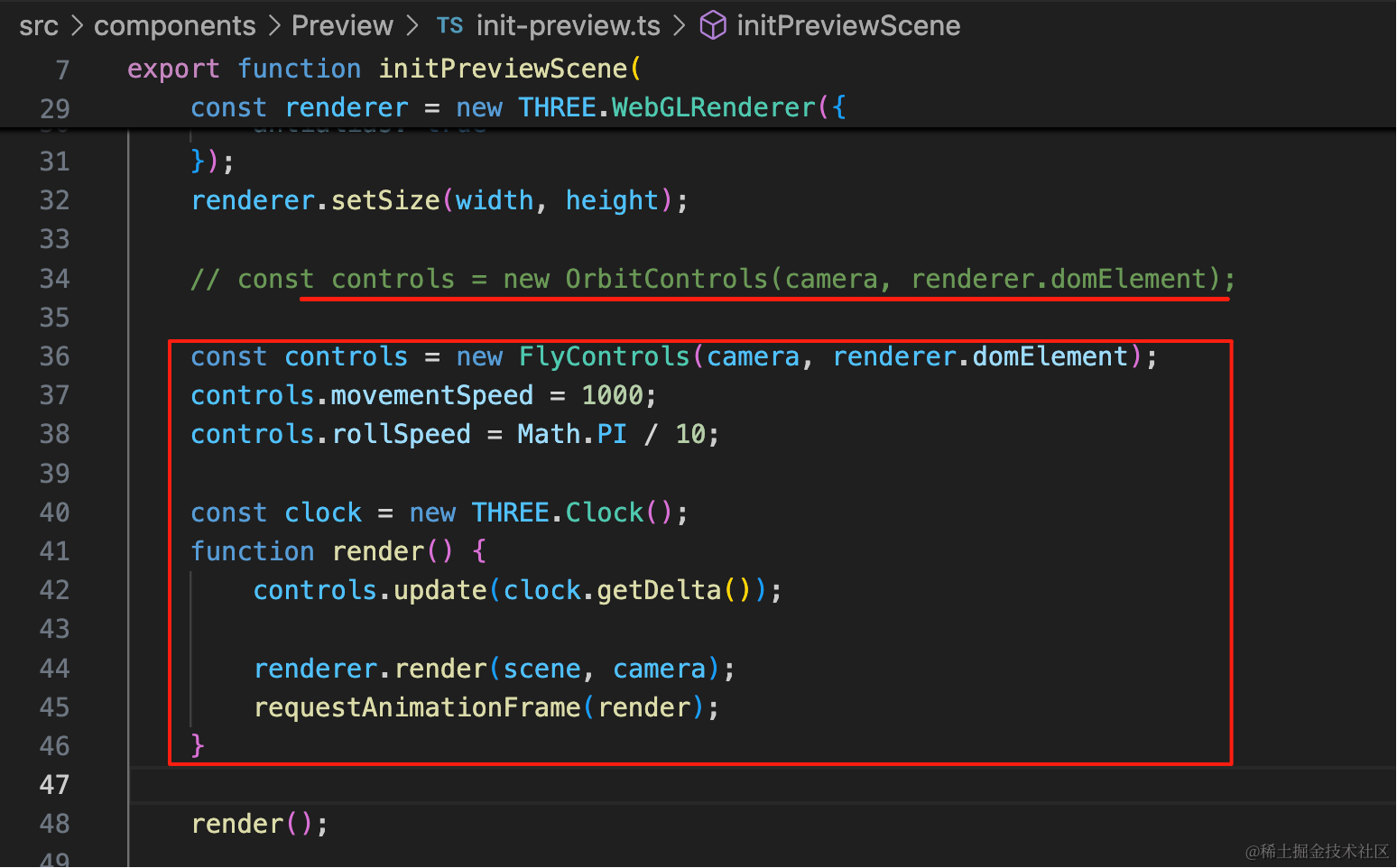
const controls = new FlyControls(camera, renderer.domElement);
controls.movementSpeed = 1000;
controls.rollSpeed = Math.PI / 10;

const clock = new THREE.Clock();
function render() {
    controls.update(clock.getDelta());

    renderer.render(scene, camera);
    requestAnimationFrame(render);
}
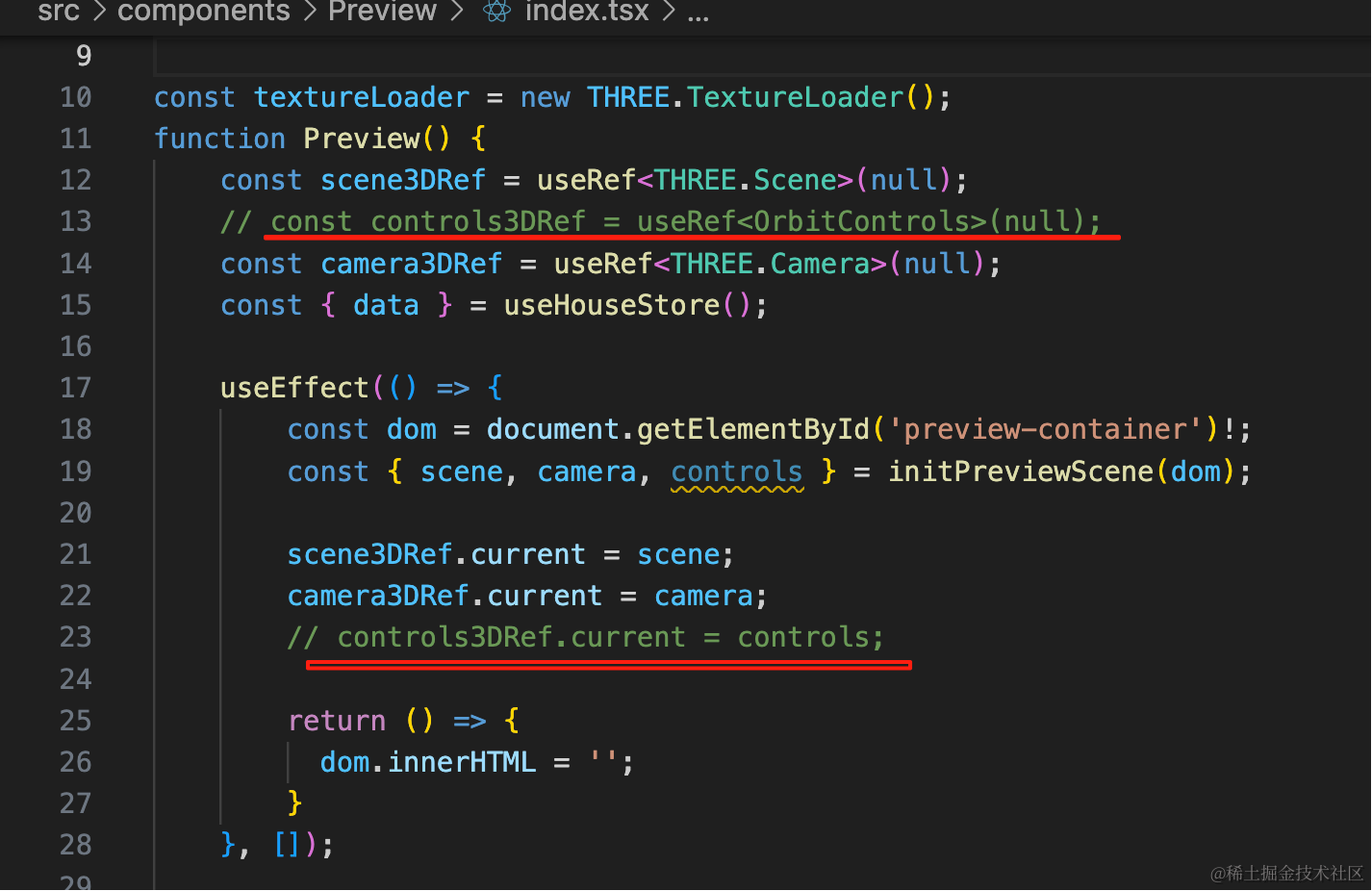
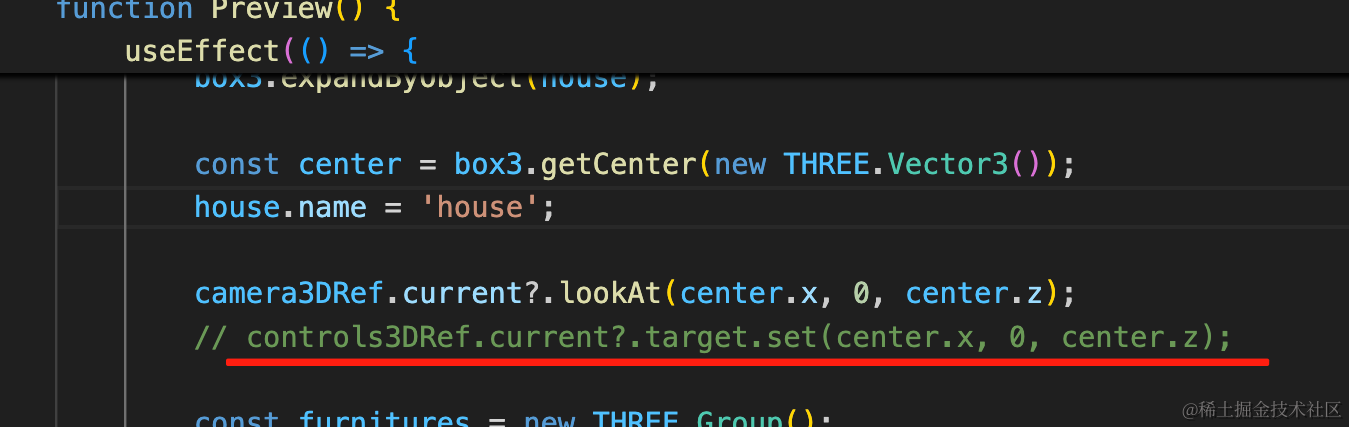
之前用到 OrbitControls 的地方也去掉:
相机位置也改一下,调到屋内:
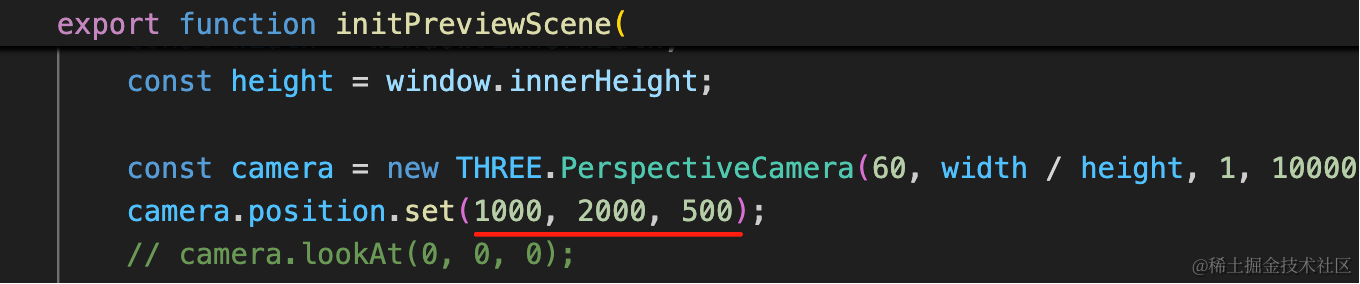
camera.position.set(1000, 2000, 500);试一下:
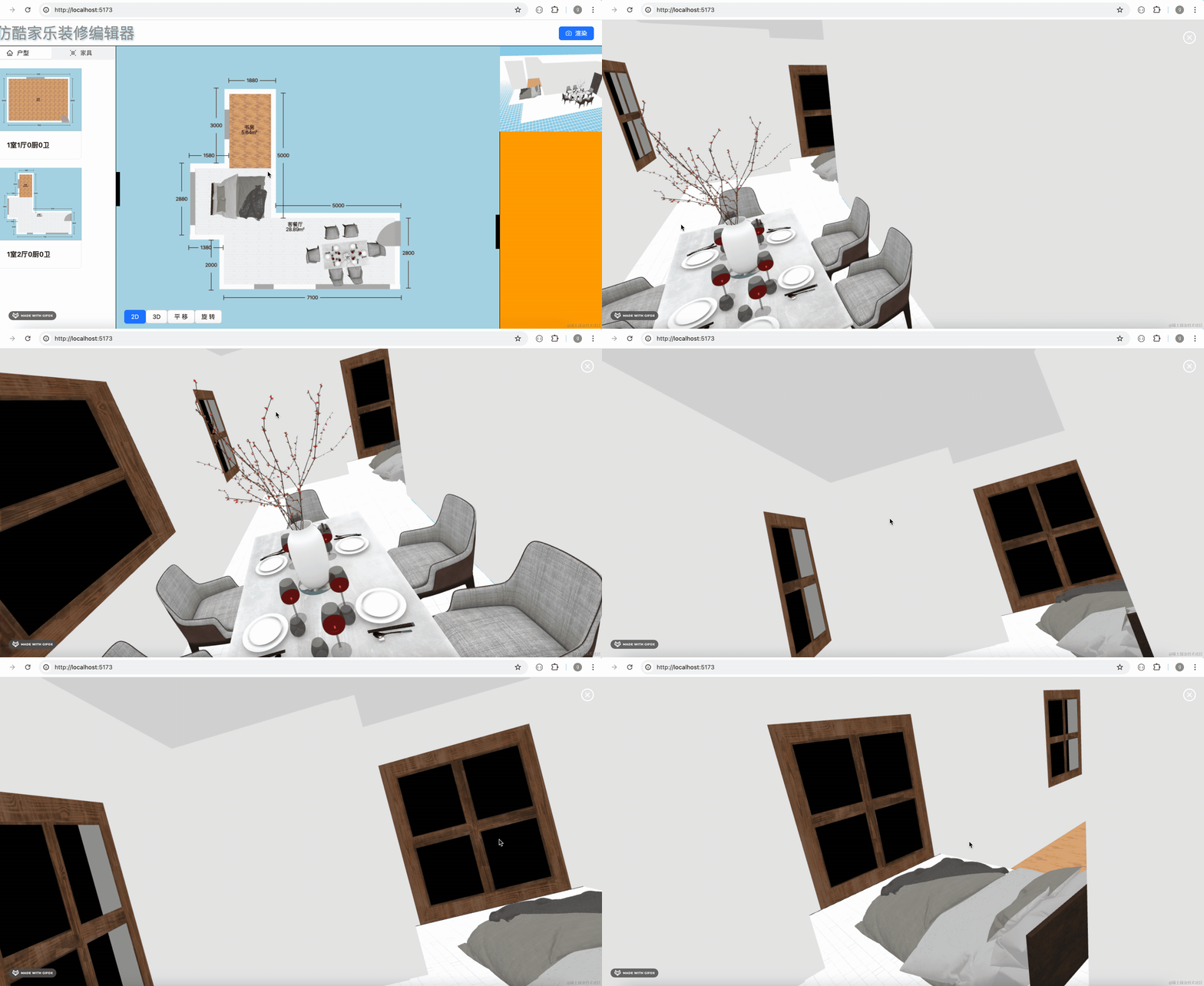
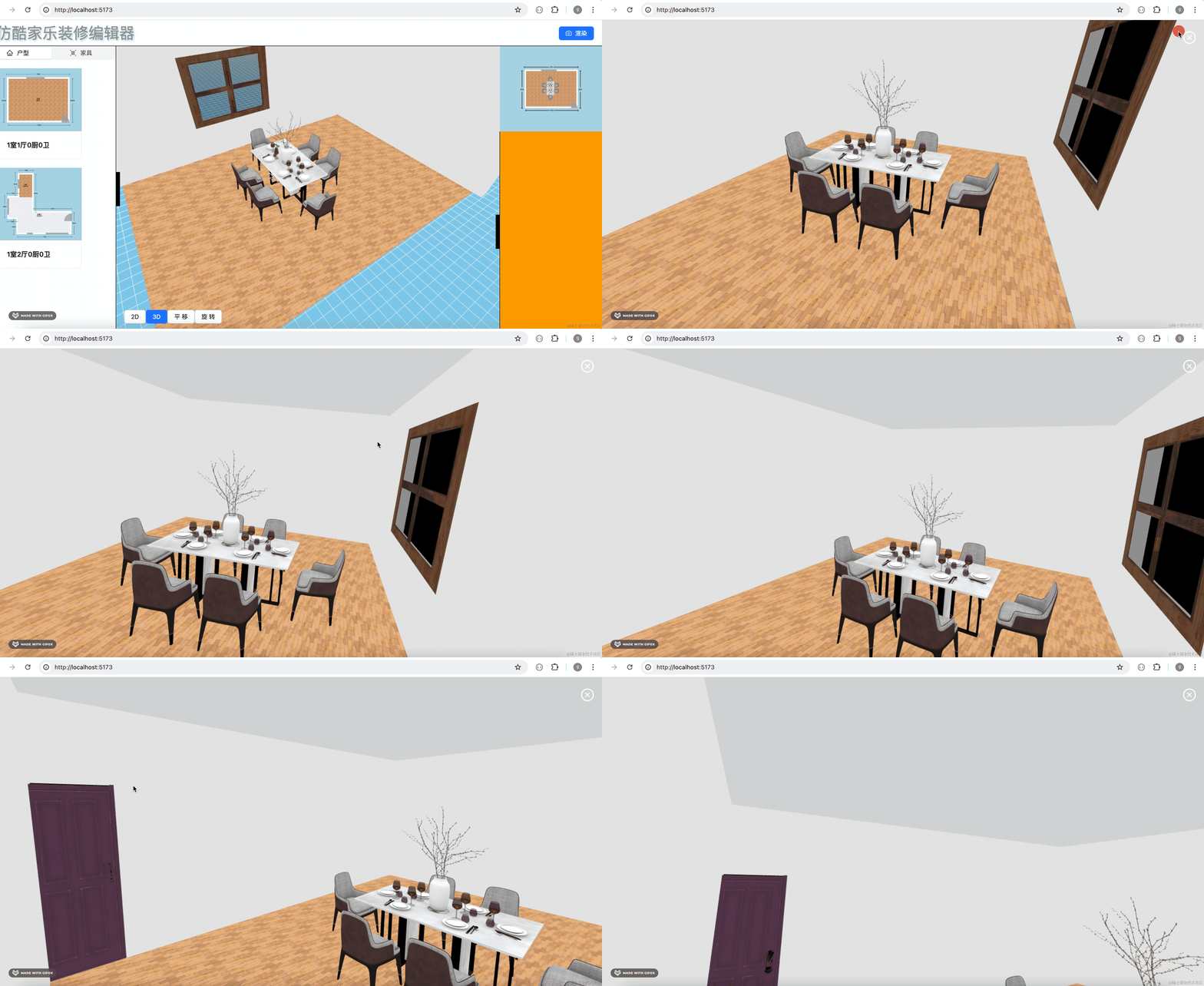
这样,就能全景浏览编辑后的效果了。
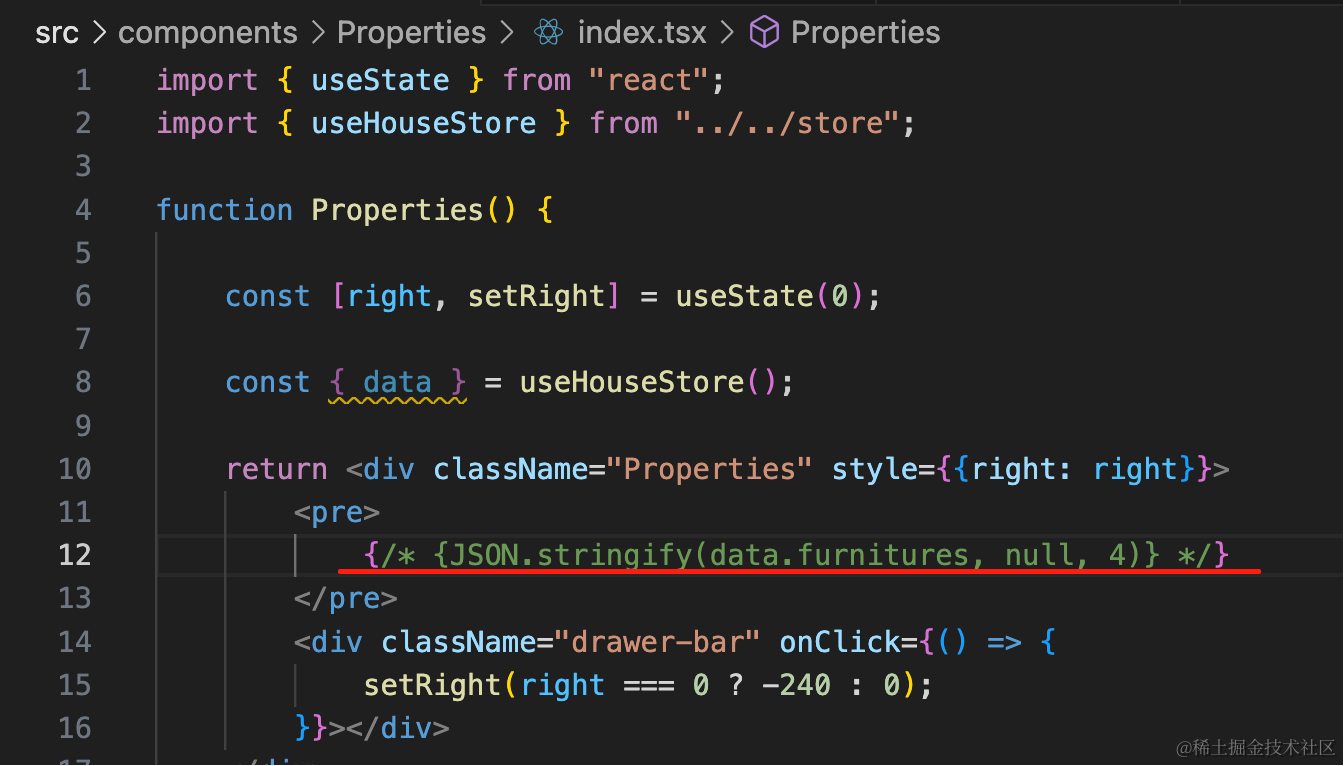
把这个注释掉,它会影响布局:
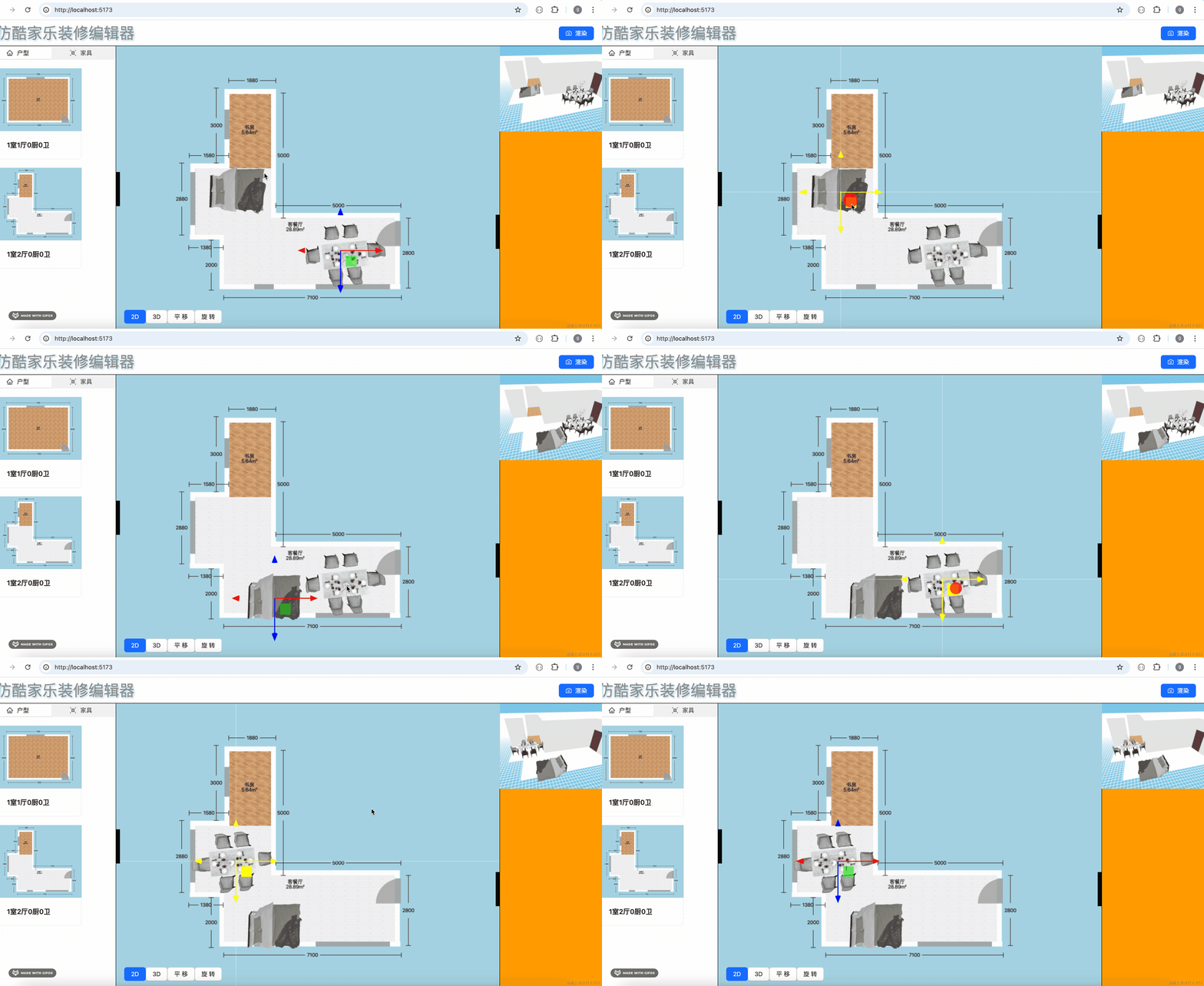
我们编辑下餐桌位置:
看下全景浏览的效果:
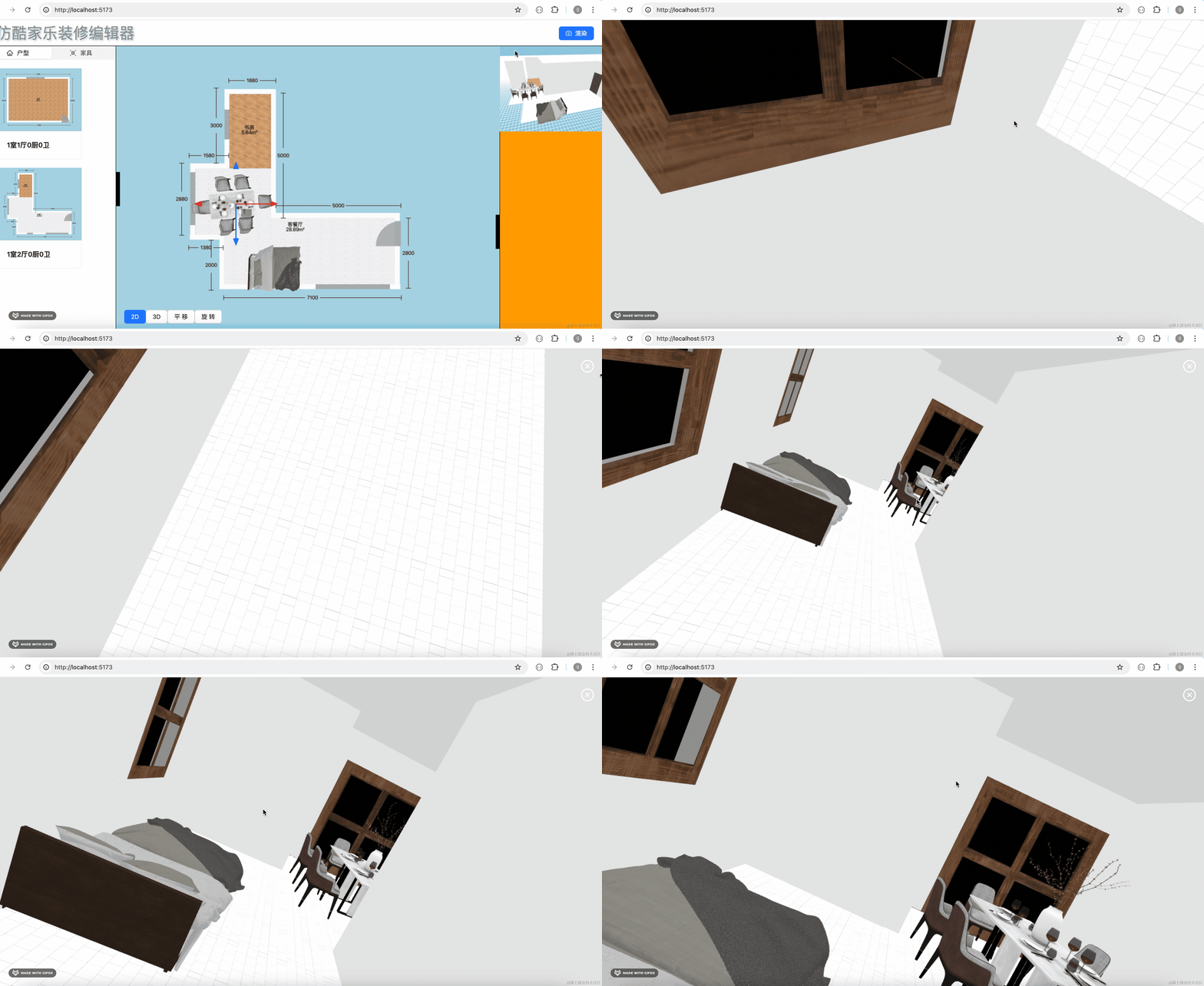
可以看到,确实家具位置改了。
然后切换户型:
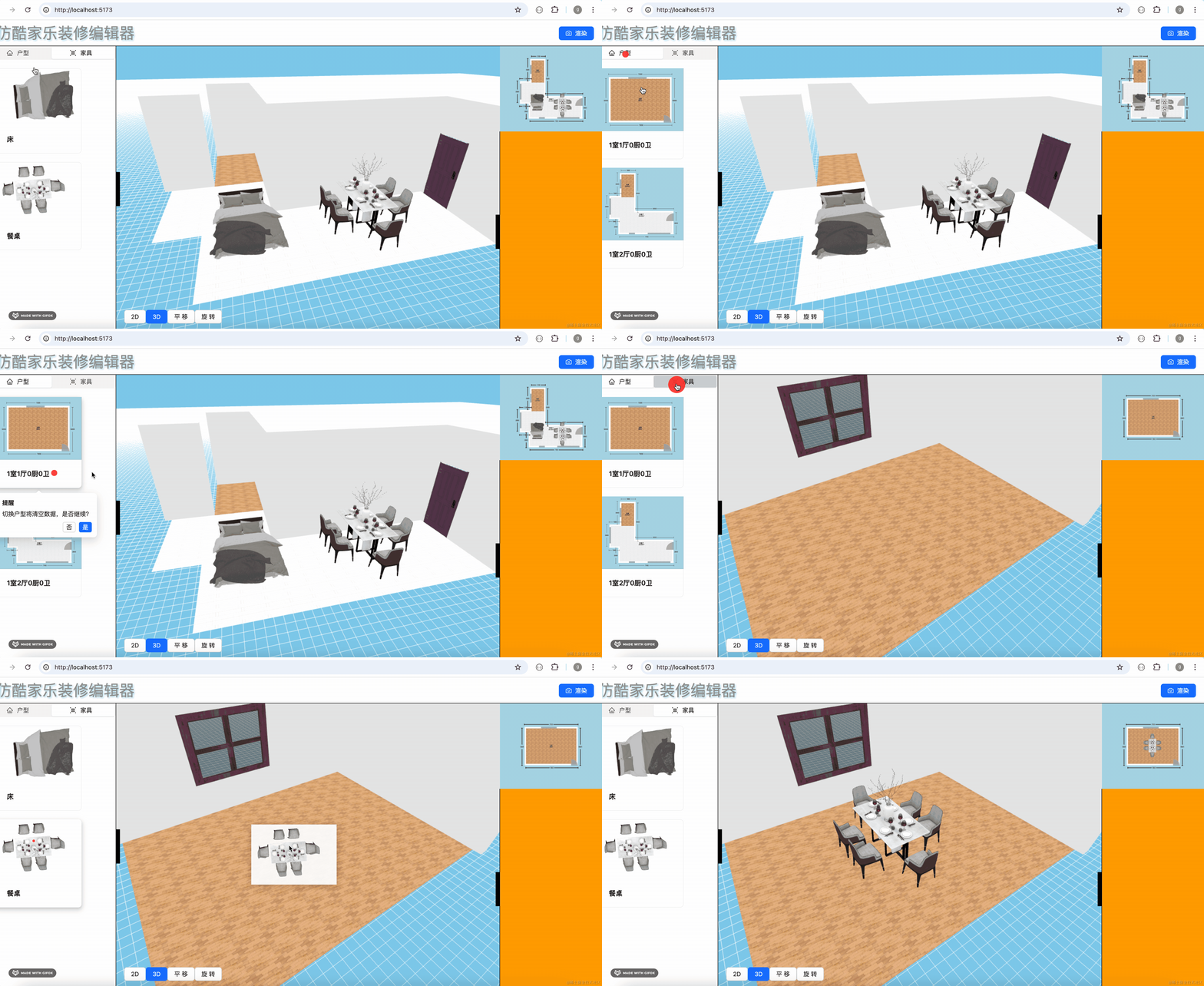
预览下装修效果:
案例代码上传了小册仓库
总结
这节我们实现了全景浏览。
首先,我们用相同的数据渲染了房屋场景,但这次用的控制器不再是 OrbitControls 而是 FlyControls,他是通过鼠标、键盘来控制相机位置的。
我们可以在房屋内漫游,细致的查看装修好的效果。
当然,现在房屋内装修预览效果还不够逼真,下节我们优化一下。