前面实现了开车:
上车:

下车:

接下来继续来做开飞机的功能。
其实原理差不多,人走近飞机的时候,可以上飞机,之后切换到飞机视角,开飞机。
当然,飞机应该只有停在地面的时候才能下飞机。
我们先找一个飞机模型:
https://sketchfab.com/3d-models/cartoon-plane-edbb12ffdd3c408d8908e02cbc1ba137
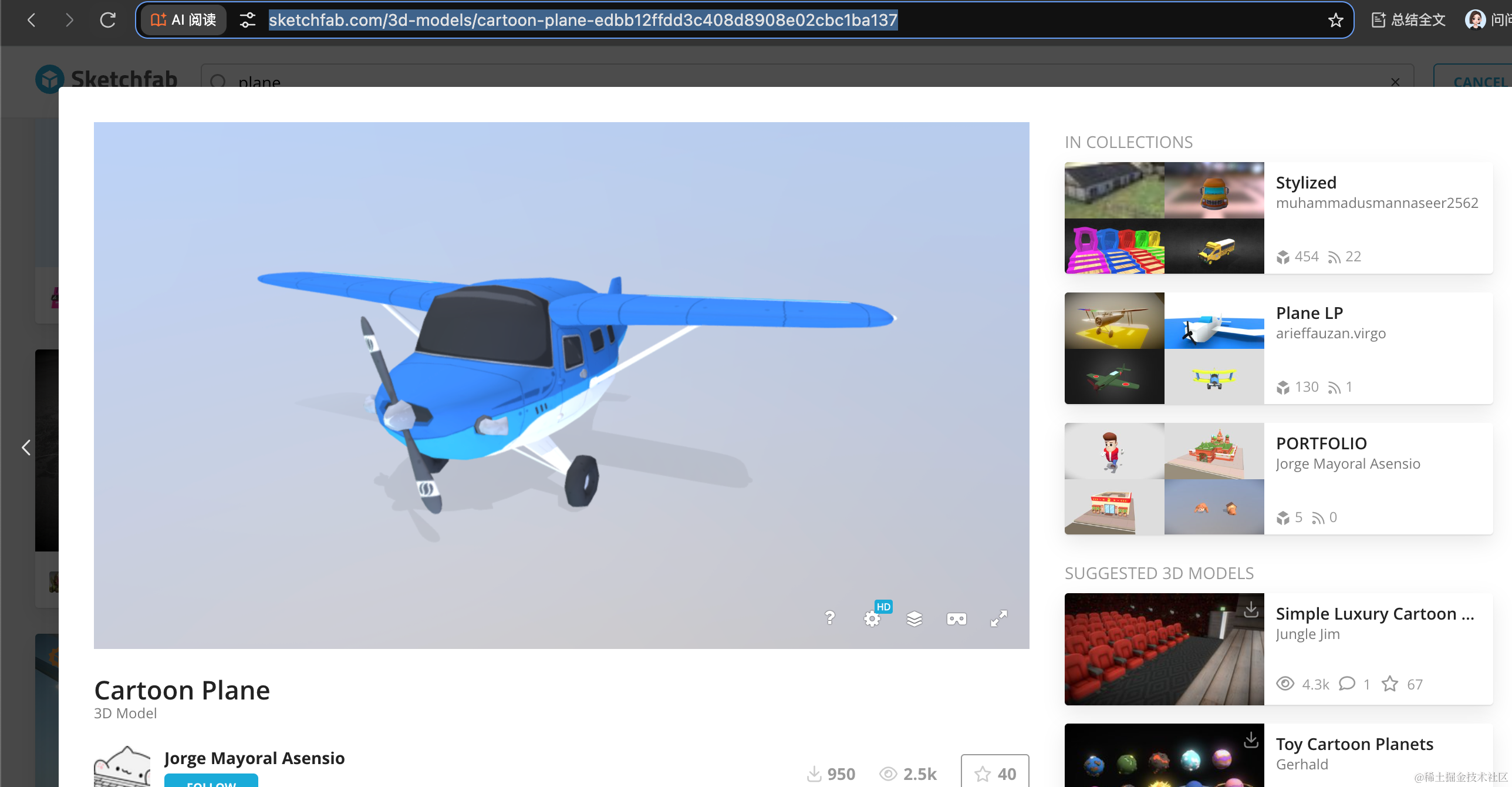
下载下:
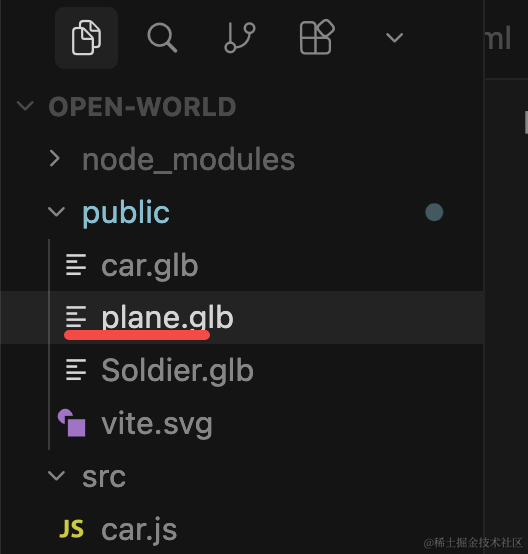
在代码里加载:
创建 src/plane.js
import * as THREE from 'three';
import { GLTFLoader } from 'three/addons/loaders/GLTFLoader.js';

const loader = new GLTFLoader();

const group = new THREE.Group();

export const loadPromise = loader.loadAsync("./plane.glb");

loadPromise.then(gltf => {
    group.add(gltf.scene);
    console.log(gltf);

    gltf.scene.scale.set(0.01, 0.01, 0.01);

    gltf.scene.position.set(-10, 1.15, 10);
})

export default group;
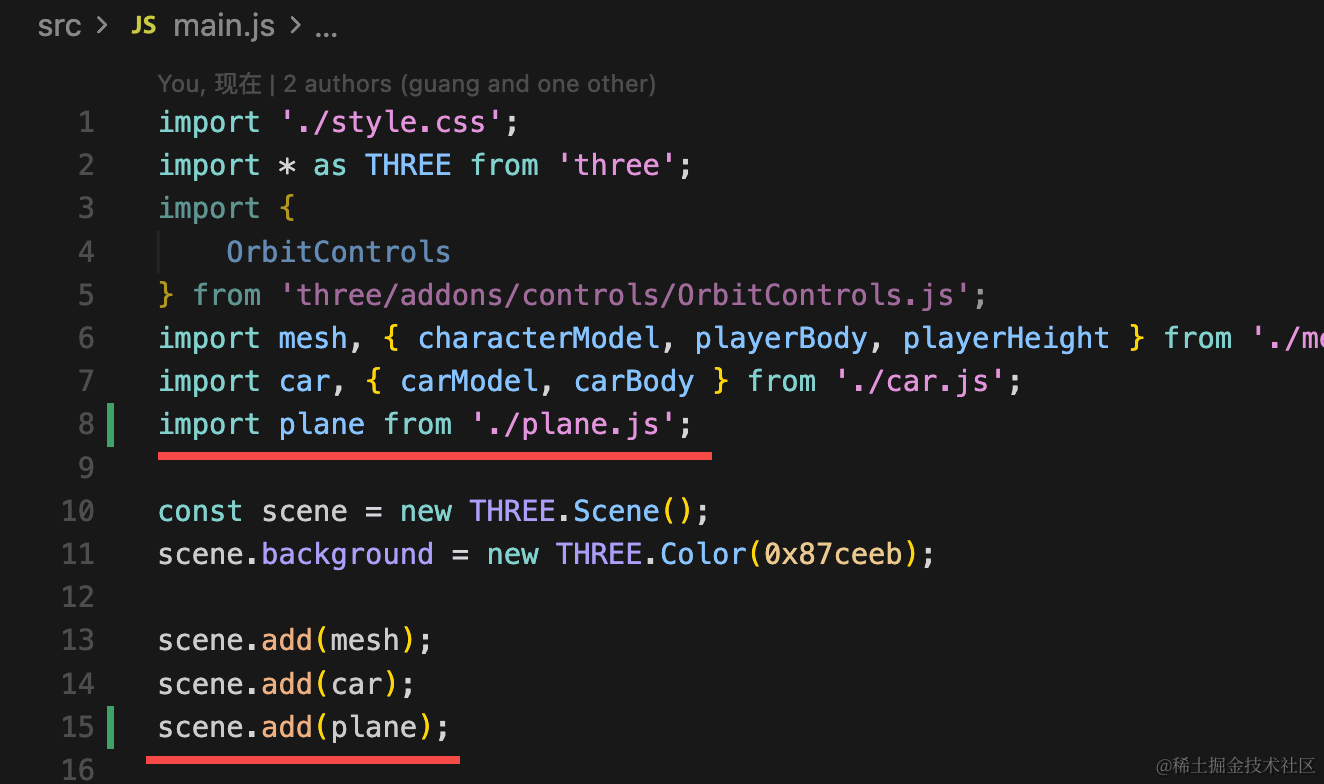
在 main.js 引入下:
看下效果:
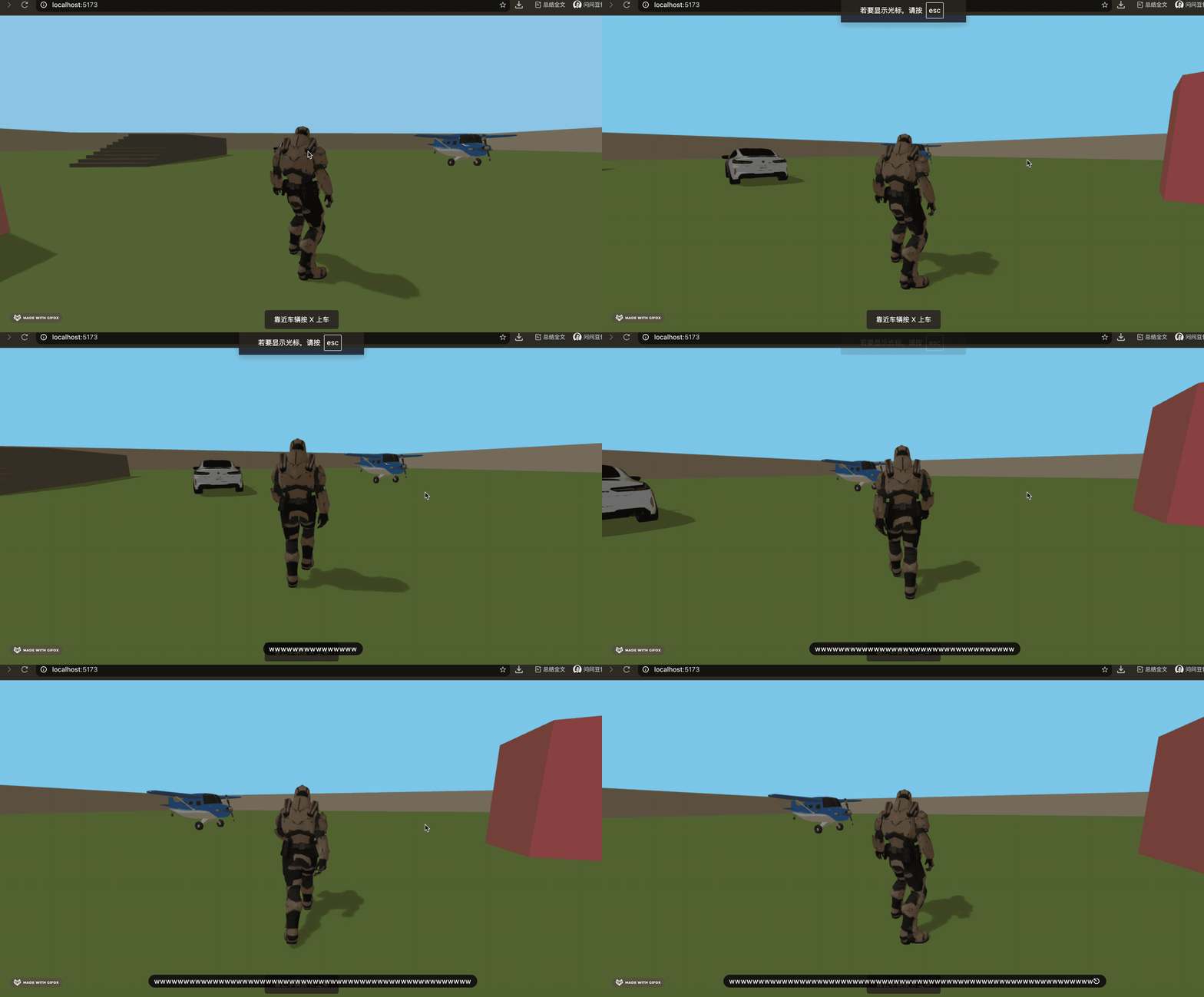
可以看到,飞机已经加载出来了。
现在飞机没有阴影,不是很真实。
加一下:
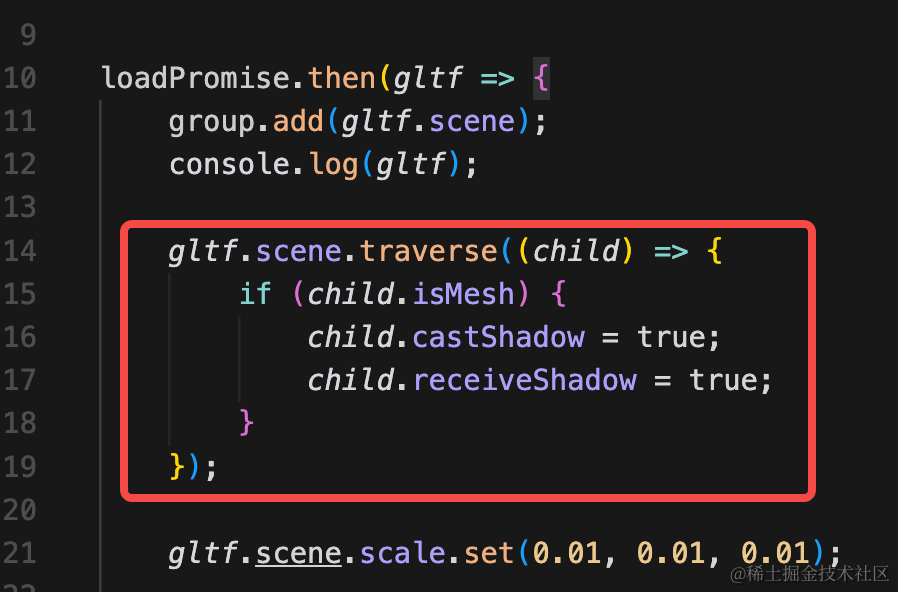
gltf.scene.traverse((child) => {
    if (child.isMesh) {
        child.castShadow = true;
        child.receiveShadow = true;
    }
});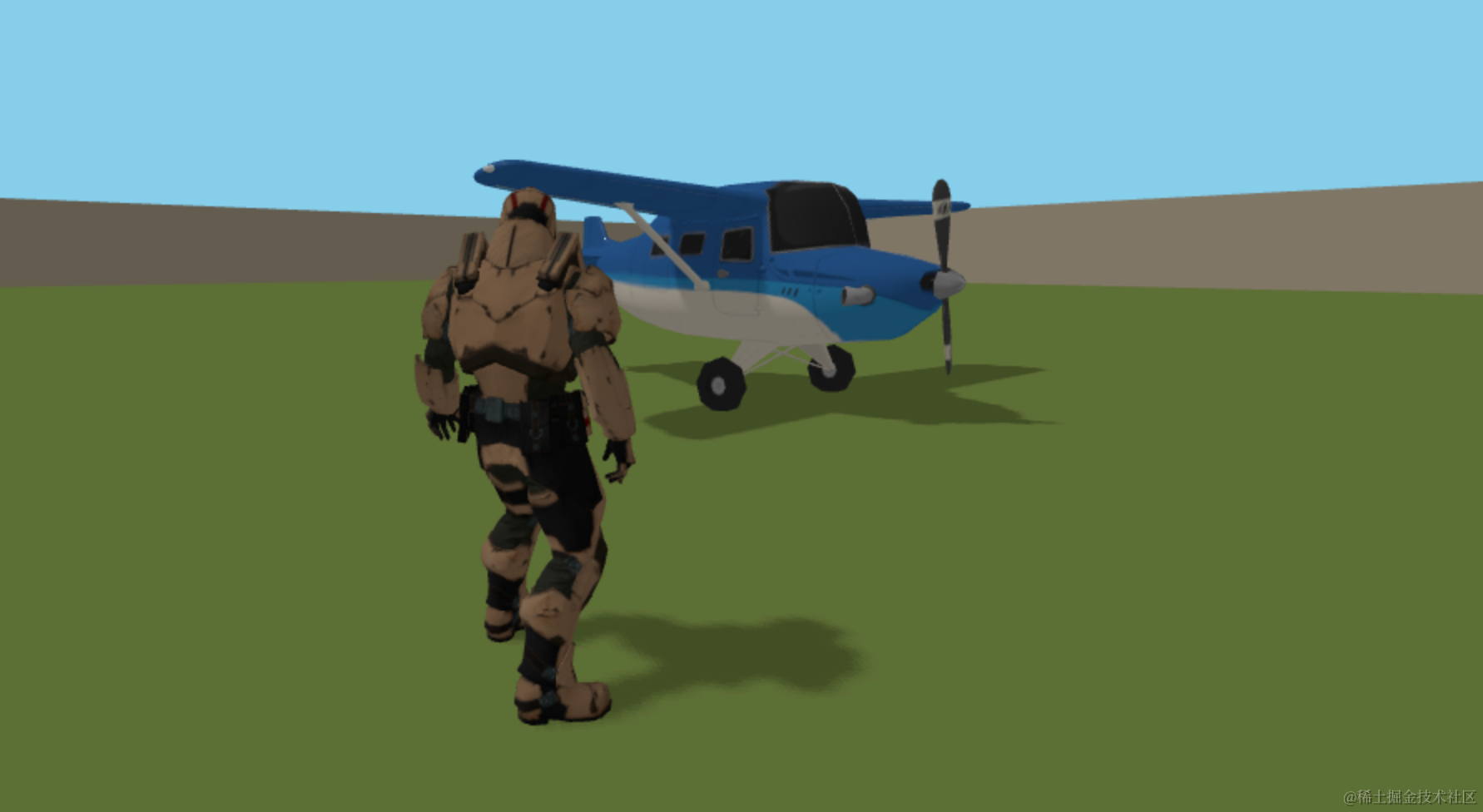
真实多了。
然后给飞机也加一下物理刚体。
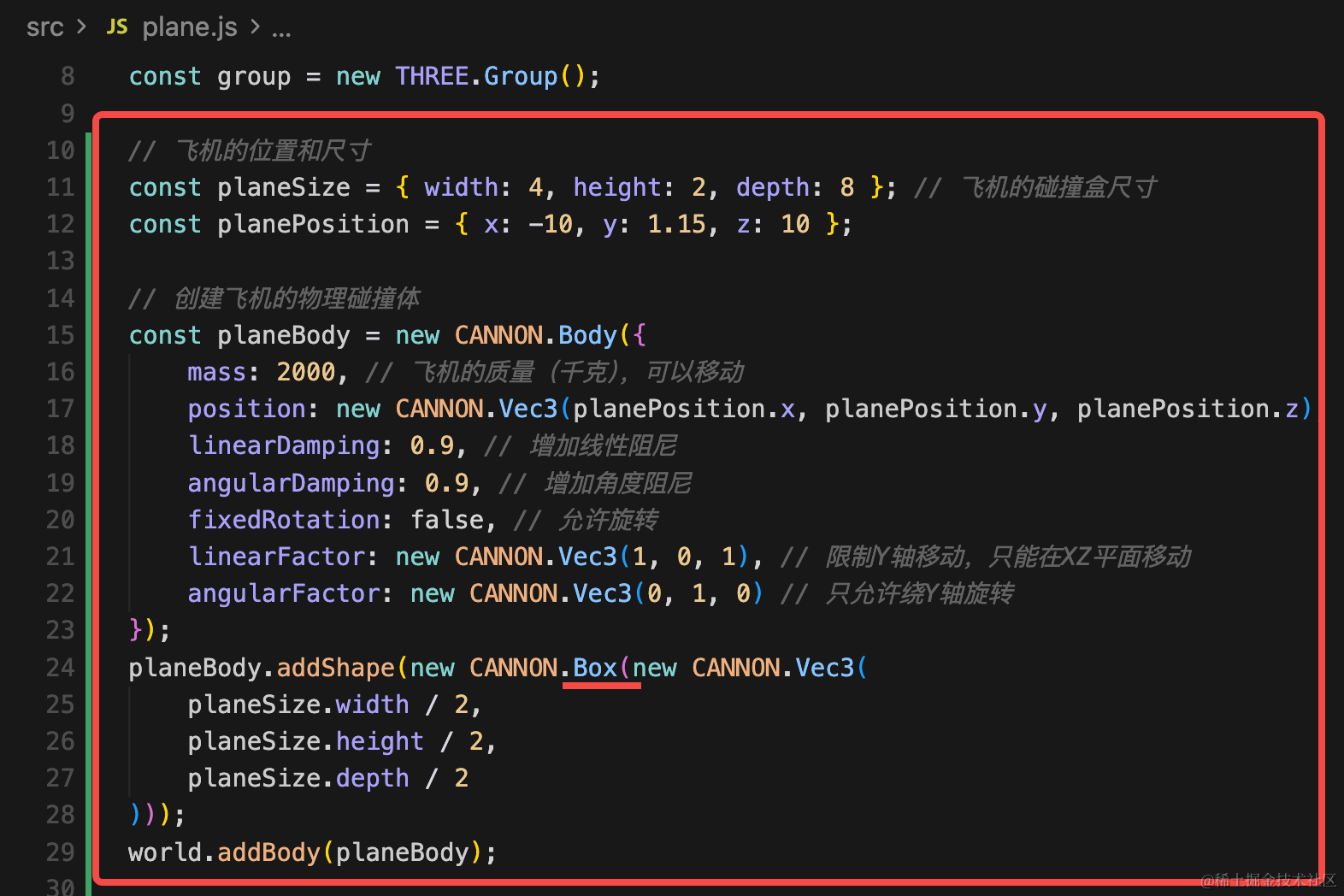
同样用 Box 来做刚体的形状。
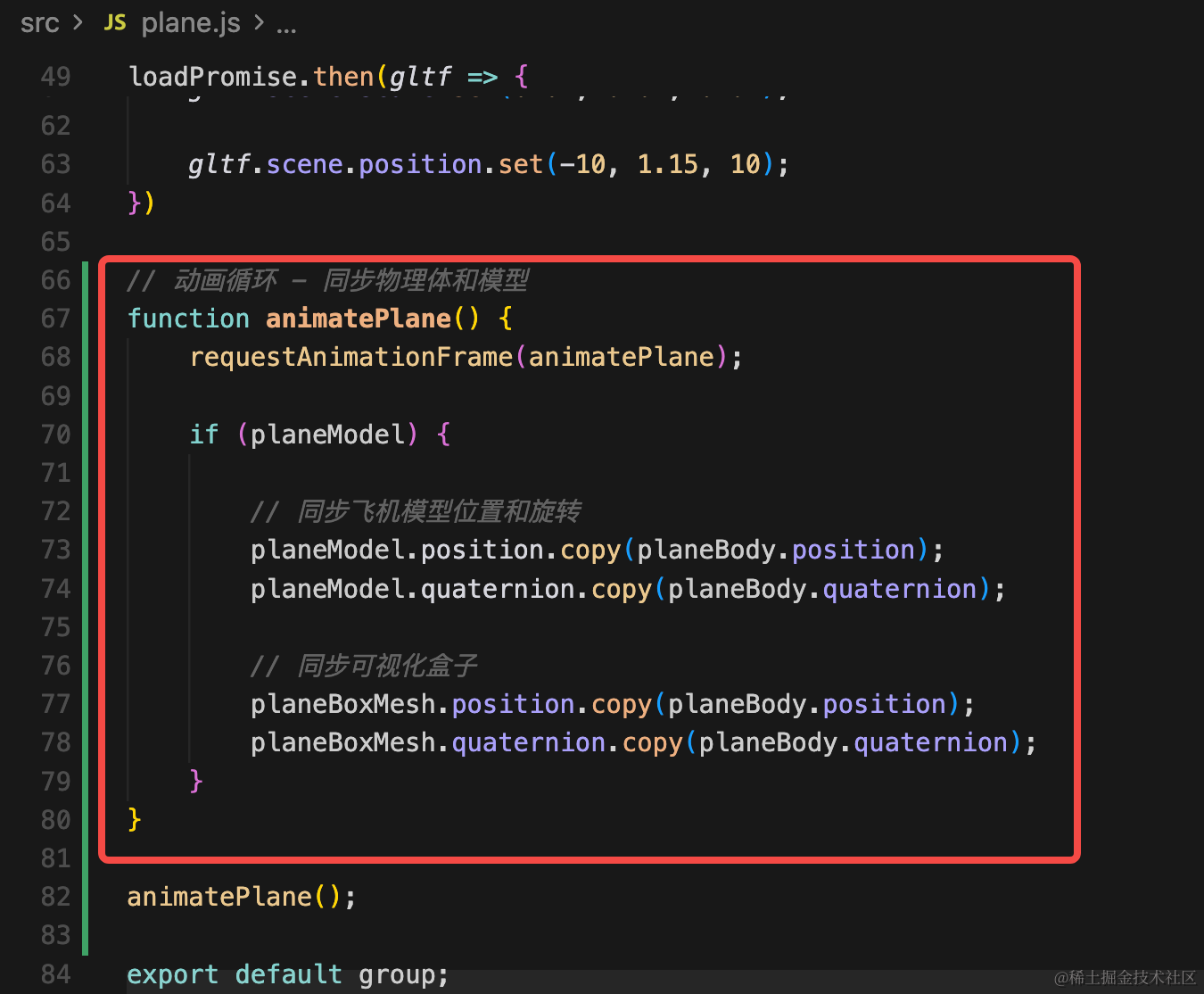
并且还要同步 mesh 和刚体。
我们先可视化一下:
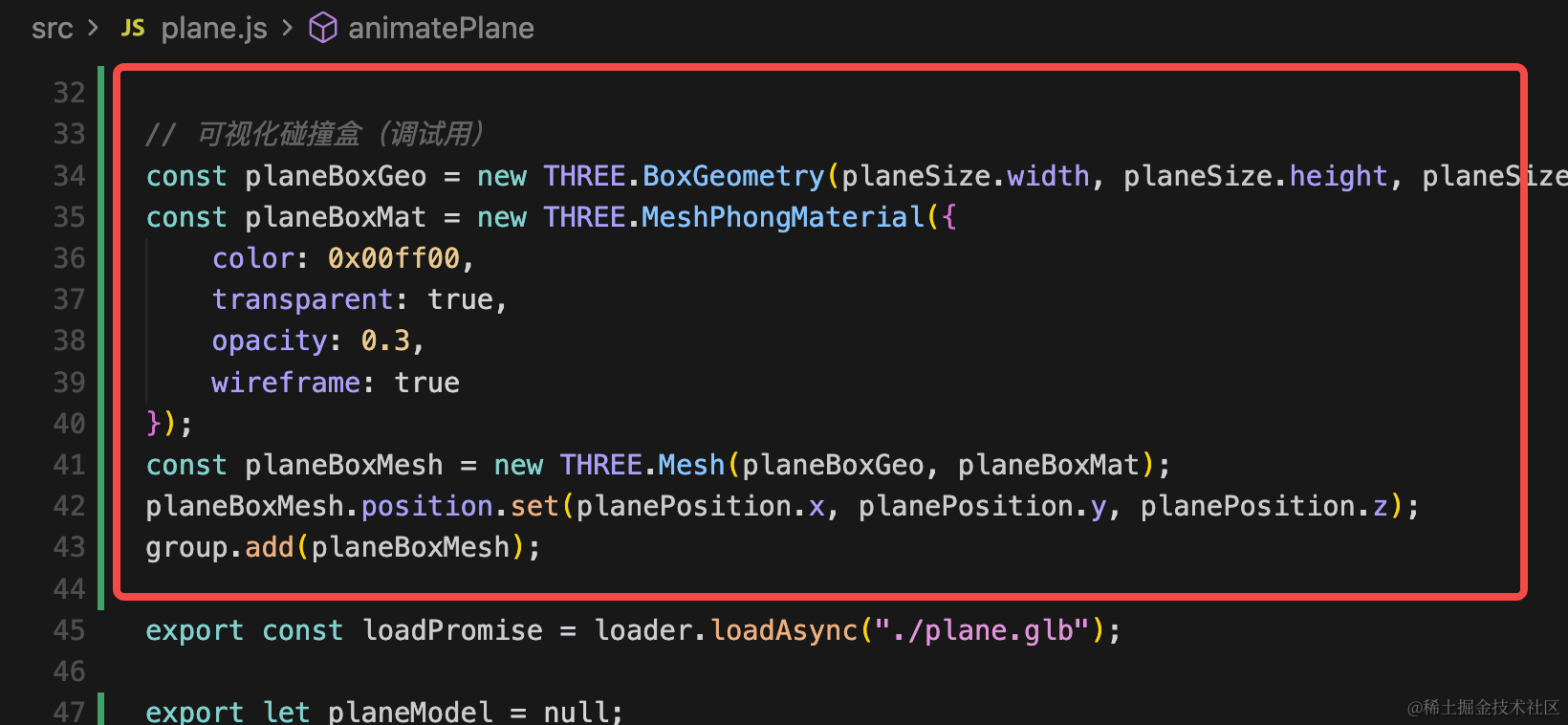
import * as THREE from 'three';
import { GLTFLoader } from 'three/addons/loaders/GLTFLoader.js';
import * as CANNON from 'cannon-es';
import { world } from './mesh.js';

const loader = new GLTFLoader();

const group = new THREE.Group();

// 飞机的位置和尺寸
const planeSize = { width: 4, height: 2, depth: 8 }; // 飞机的碰撞盒尺寸
const planePosition = { x: -10, y: 1.15, z: 10 };

// 创建飞机的物理碰撞体
const planeBody = new CANNON.Body({
    mass: 2000, // 飞机的质量(千克),可以移动
    position: new CANNON.Vec3(planePosition.x, planePosition.y, planePosition.z),
    linearDamping: 0.9, // 增加线性阻尼
    angularDamping: 0.9, // 增加角度阻尼
    fixedRotation: false, // 允许旋转
    linearFactor: new CANNON.Vec3(1, 1, 1), // 限制Y轴移动,只能在XZ平面移动
    angularFactor: new CANNON.Vec3(0, 1, 0) // 只允许绕Y轴旋转
});
planeBody.addShape(new CANNON.Box(new CANNON.Vec3(
    planeSize.width / 2,
    planeSize.height / 2,
    planeSize.depth / 2
)));
world.addBody(planeBody);

export { planeBody };

// 可视化碰撞盒(调试用)
const planeBoxGeo = new THREE.BoxGeometry(planeSize.width, planeSize.height, planeSize.depth);
const planeBoxMat = new THREE.MeshPhongMaterial({
    color: 0x00ff00,
    transparent: true,
    opacity: 0.3,
    wireframe: true
});
const planeBoxMesh = new THREE.Mesh(planeBoxGeo, planeBoxMat);
planeBoxMesh.position.set(planePosition.x, planePosition.y, planePosition.z);
group.add(planeBoxMesh);

export const loadPromise = loader.loadAsync("./plane.glb");

export let planeModel = null;

loadPromise.then(gltf => {
    planeModel = gltf.scene;
    group.add(planeModel);
    console.log(gltf);

    gltf.scene.traverse((child) => {
        if (child.isMesh) {
            child.castShadow = true;
            child.receiveShadow = true;
        }
    });

    gltf.scene.scale.set(0.01, 0.01, 0.01);

    gltf.scene.position.set(-10, 1.15, 10);
})

// 动画循环 - 同步物理体和模型
function animatePlane() {
    requestAnimationFrame(animatePlane);

    if (planeModel) {

        // 同步飞机模型位置和旋转
        planeModel.position.copy(planeBody.position);
        planeModel.quaternion.copy(planeBody.quaternion);

        // 同步可视化盒子
        planeBoxMesh.position.copy(planeBody.position);
        planeBoxMesh.quaternion.copy(planeBody.quaternion);
    }
}

animatePlane();

export default group;
看下效果:
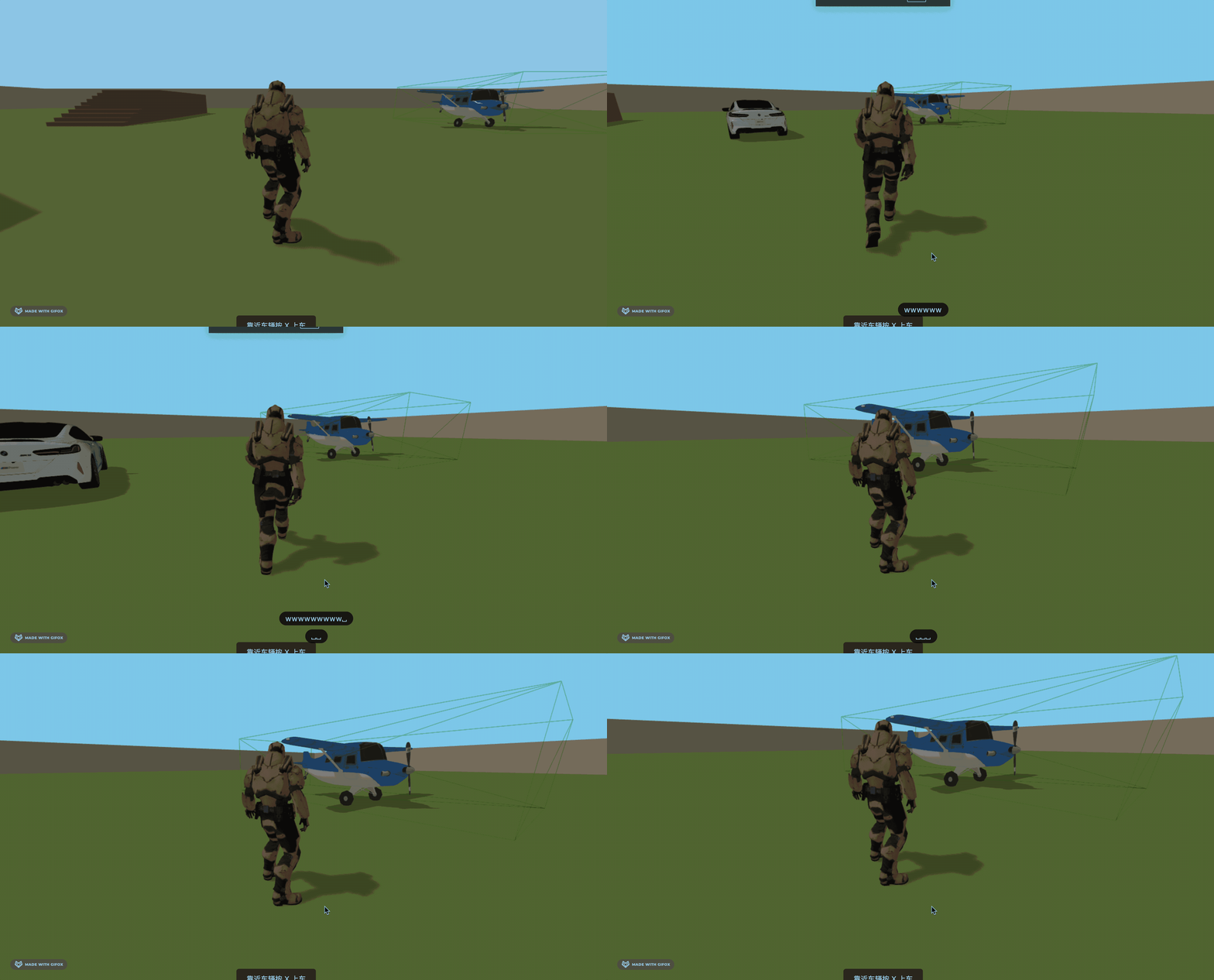
可以看到,物理刚体的大小是差不多和视觉看到的飞机一致的。
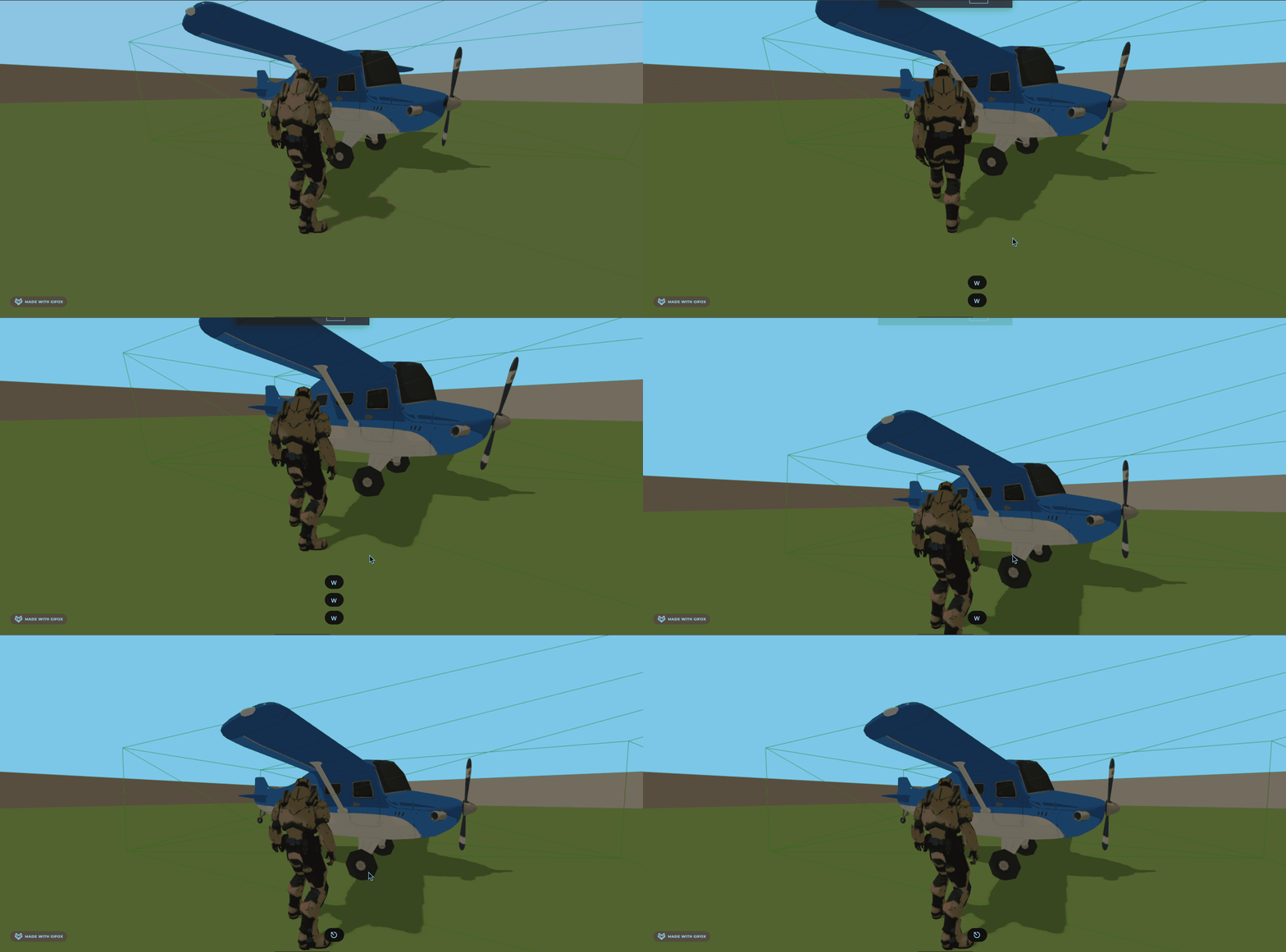
现在不会穿过飞机了。
案例代码上传了小册仓库
总结
这节我们渲染了飞机模型,然后给它加了物理刚体。
后面就可以像开车一样,做开飞机的功能了。