前面我们实现了很多功能了。
现在开放世界里有车辆、飞机、npc、电脑等可以互动的元素。
随着开放世界越来越大,玩家可能不知道在哪里去找这些,所以我们可以做一个小地图。
在右上角标出玩家当前位置,另外几个可交互元素的位置。
首先我们把小地图画一下:
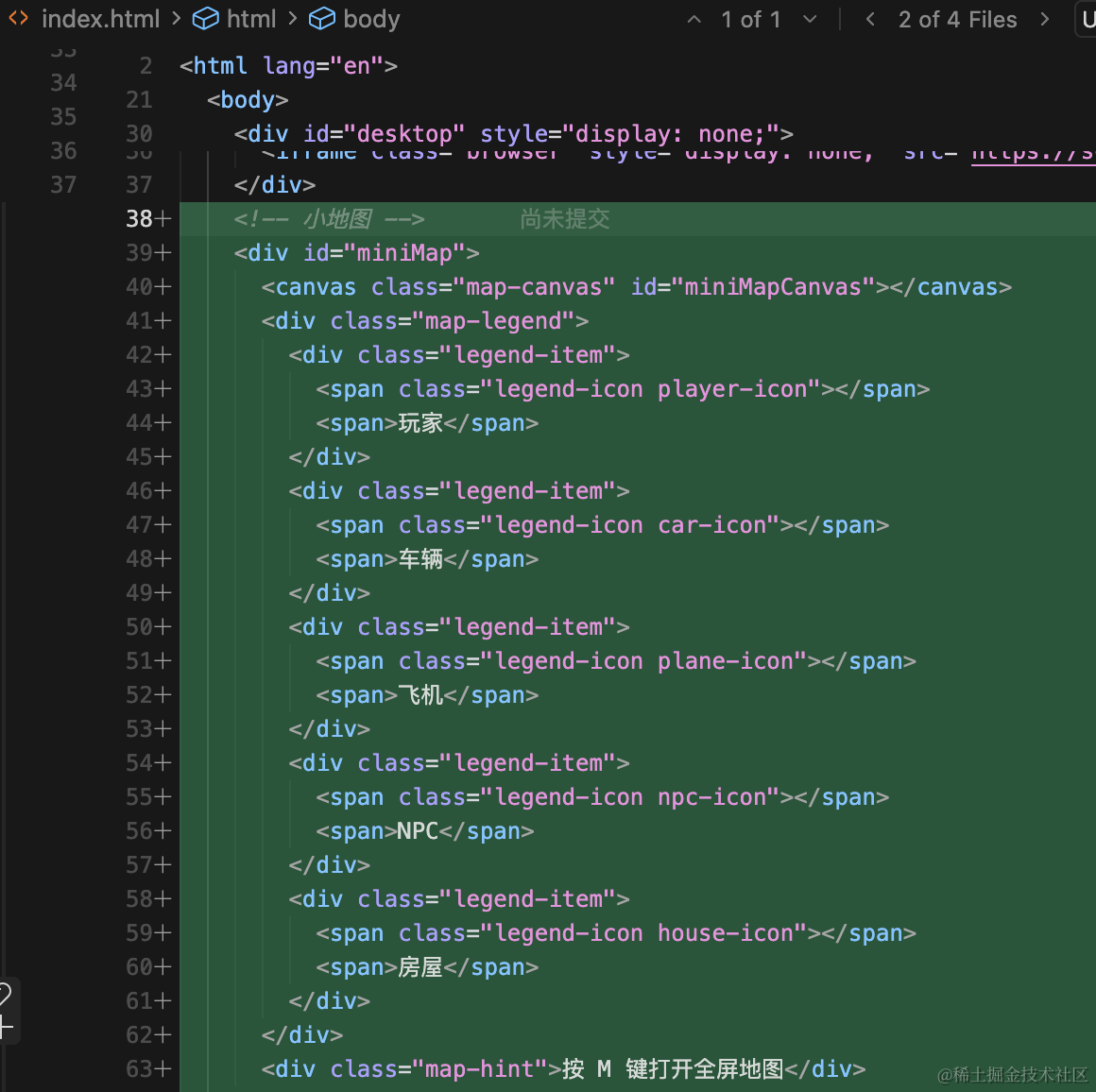
html 部分:
<!-- 小地图 -->
    <div id="miniMap">
      <canvas class="map-canvas" id="miniMapCanvas"></canvas>
      <div class="map-legend">
        <div class="legend-item">
          <span class="legend-icon player-icon"></span>
          <span>玩家</span>
        </div>
        <div class="legend-item">
          <span class="legend-icon car-icon"></span>
          <span>车辆</span>
        </div>
        <div class="legend-item">
          <span class="legend-icon plane-icon"></span>
          <span>飞机</span>
        </div>
        <div class="legend-item">
          <span class="legend-icon npc-icon"></span>
          <span>NPC</span>
        </div>
        <div class="legend-item">
          <span class="legend-icon house-icon"></span>
          <span>房屋</span>
        </div>
      </div>
      <div class="map-hint">按 M 键打开全屏地图</div>
    </div>
    <!-- 全屏地图 -->
    <div id="fullMap" style="display: none;">
      <div class="map-header">
        <h2>地图</h2>
        <button id="closeMapBtn" class="close-btn">关闭 (M)</button>
      </div>
      <canvas class="map-canvas-full" id="fullMapCanvas"></canvas>
      <div class="map-legend-full">
        <div class="legend-item">
          <span class="legend-icon player-icon"></span>
          <span>玩家</span>
        </div>
        <div class="legend-item">
          <span class="legend-icon car-icon"></span>
          <span>车辆</span>
        </div>
        <div class="legend-item">
          <span class="legend-icon plane-icon"></span>
          <span>飞机</span>
        </div>
        <div class="legend-item">
          <span class="legend-icon npc-icon"></span>
          <span>NPC</span>
        </div>
        <div class="legend-item">
          <span class="legend-icon house-icon"></span>
          <span>房屋</span>
        </div>
      </div>
    </div>
就是一个 canvas 用来绘制各种元素的位置。
然后下面是图例,标出各种元素的颜色。
然后按 m 可以全屏,元素也是一样的结构。
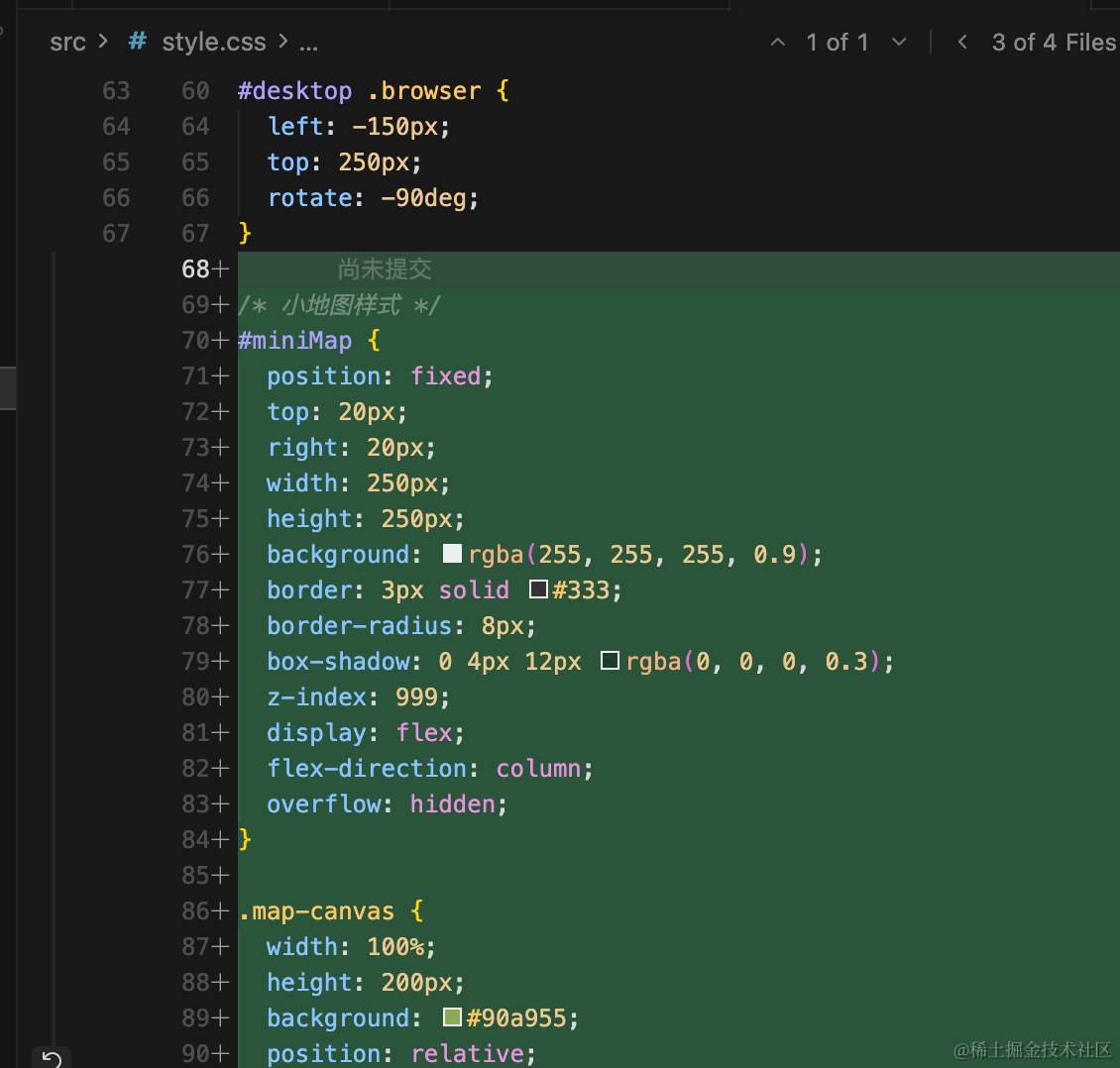
加一下样式:
/* 小地图样式 */
#miniMap {
  position: fixed;
  top: 20px;
  right: 20px;
  width: 250px;
  height: 250px;
  background: rgba(255, 255, 255, 0.9);
  border: 3px solid #333;
  border-radius: 8px;
  box-shadow: 0 4px 12px rgba(0, 0, 0, 0.3);
  z-index: 999;
  display: flex;
  flex-direction: column;
  overflow: hidden;
}

.map-canvas {
  width: 100%;
  height: 200px;
  background: #90a955;
  position: relative;
  display: block;
}

.map-legend {
  padding: 8px;
  font-size: 10px;
  background: rgba(255, 255, 255, 0.95);
  display: flex;
  flex-wrap: wrap;
  gap: 6px;
}

.legend-item {
  display: flex;
  align-items: center;
  gap: 4px;
}

.legend-icon {
  width: 12px;
  height: 12px;
  border-radius: 50%;
  display: inline-block;
}

.player-icon {
  background: #ff0000;
  border: 2px solid #fff;
  box-shadow: 0 0 4px rgba(255, 0, 0, 0.8);
}

.car-icon {
  background: #0066ff;
  border: 2px solid #fff;
}

.plane-icon {
  background: #00ff00;
  border: 2px solid #fff;
}

.npc-icon {
  background: #ffaa00;
  border: 2px solid #fff;
}

.house-icon {
  background: #8b4513;
  border: 2px solid #fff;
}

.map-hint {
  padding: 4px 8px;
  font-size: 9px;
  color: #666;
  text-align: center;
  background: rgba(240, 240, 240, 0.9);
}

/* 全屏地图样式 */
#fullMap {
  position: fixed;
  top: 0;
  left: 0;
  width: 100%;
  height: 100%;
  background: rgba(0, 0, 0, 0.95);
  z-index: 2000;
  display: flex;
  flex-direction: column;
}

.map-header {
  padding: 20px;
  background: rgba(0, 0, 0, 0.8);
  display: flex;
  justify-content: space-between;
  align-items: center;
  border-bottom: 2px solid #333;
}

.map-header h2 {
  color: white;
  margin: 0;
  font-size: 24px;
}

.close-btn {
  padding: 10px 20px;
  background: #ff4444;
  color: white;
  border: none;
  border-radius: 5px;
  cursor: pointer;
  font-size: 16px;
  font-weight: bold;
}

.close-btn:hover {
  background: #ff6666;
}

.map-canvas-full {
  flex: 1;
  background: #90a955;
  position: relative;
  display: block;
  margin: 20px auto;
  border: 3px solid #333;
  border-radius: 8px;
  max-width: 800px;
  max-height: 800px;
  width: 100%;
  height: 100%;
  object-fit: contain;
}

.map-legend-full {
  padding: 15px 20px;
  background: rgba(0, 0, 0, 0.8);
  display: flex;
  gap: 20px;
  justify-content: center;
  border-top: 2px solid #333;
}

.map-legend-full .legend-item {
  font-size: 14px;
  color: white;
}

.map-legend-full .legend-icon {
  width: 16px;
  height: 16px;
}
整个小地图固定在右上角。
写一下每种图例的颜色。
看下效果:
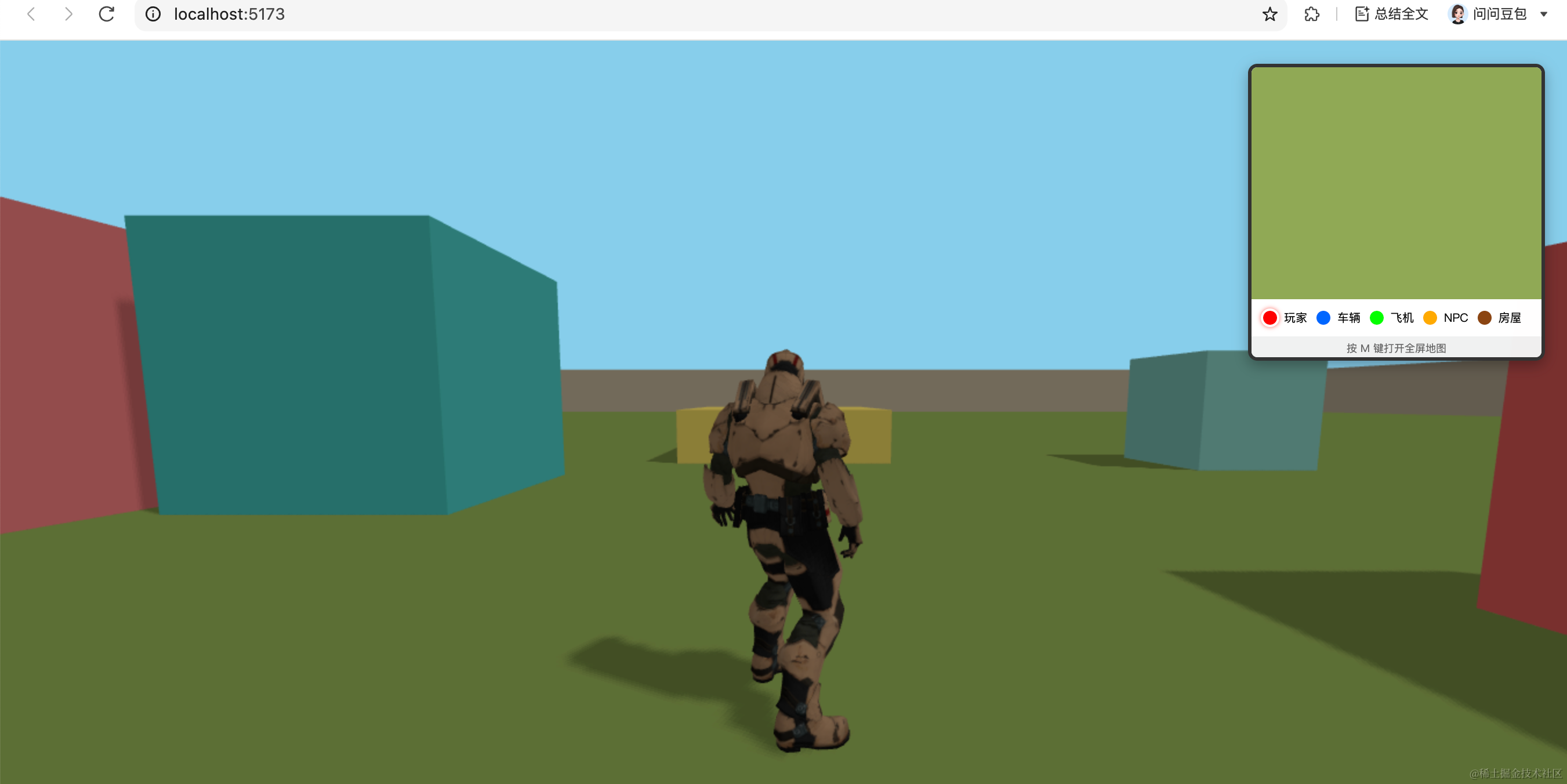
这样,小地图就绘制在右上角了。
然后先做一下按 M 键全屏展示的功能。
改一下提示的文案:
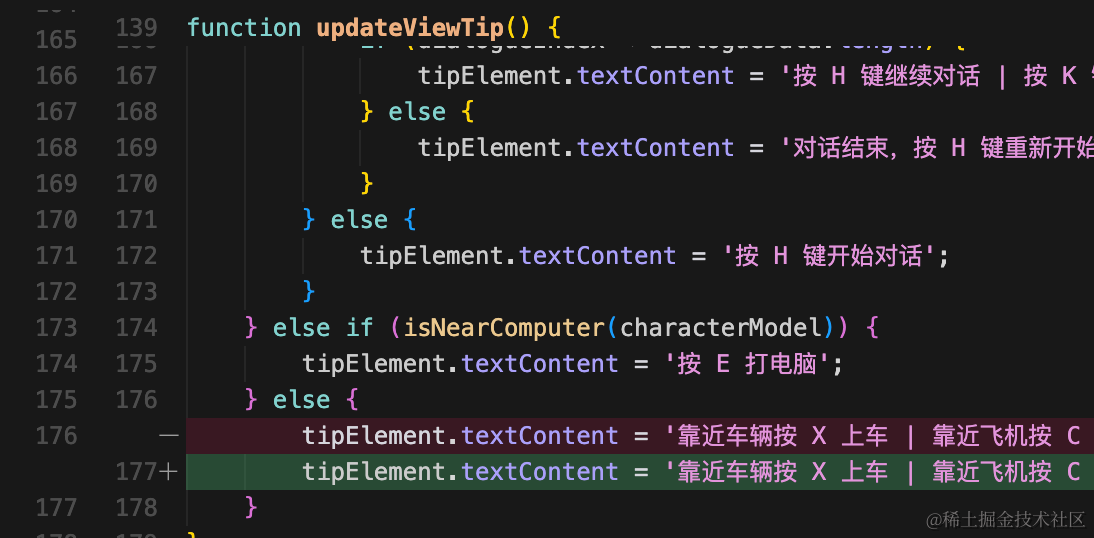
tipElement.textContent = '靠近车辆按 X 上车 | 靠近飞机按 C 上飞机 | 靠近电脑按 E 打电脑 | 按 M 打开地图';加上打开地图的提示。
做一下对应处理:
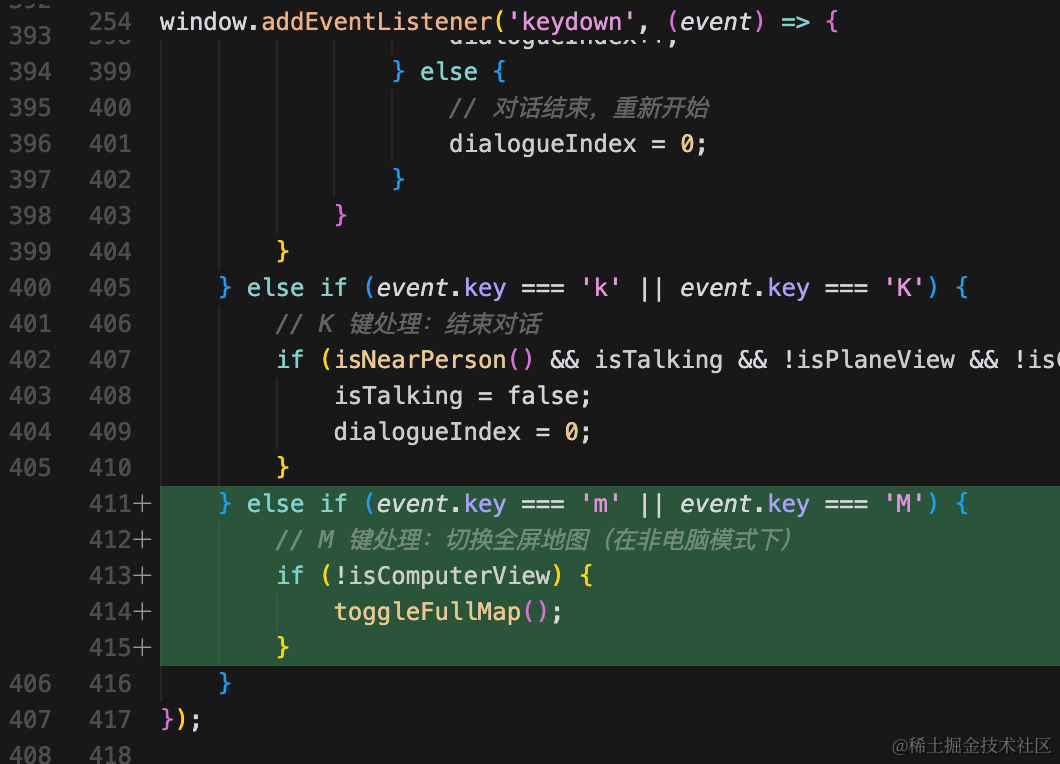
else if (event.key === 'm' || event.key === 'M') {
    // M 键处理:切换全屏地图(在非电脑模式下)
    if (!isComputerView) {
        toggleFullMap();
    }
}
因为电脑模式下可能有键盘输入,所以这里单独排除下这种情况。
然后创建一个单独的文件实现这个 toggleFullMap
创建 src/map.js
// 地图系统类
class MapSystem {
  constructor() {
    this.fullMap = document.getElementById('fullMap');
    this.isFullMapOpen = false;

    // 绑定关闭按钮事件
    const closeBtn = document.getElementById('closeMapBtn');
    if (closeBtn) {
      closeBtn.addEventListener('click', () => this.toggleFullMap());
    }
  }

  // 切换全屏地图
  toggleFullMap() {
    this.isFullMapOpen = !this.isFullMapOpen;
    if (this.isFullMapOpen) {
      this.fullMap.style.display = 'flex';
    } else {
      this.fullMap.style.display = 'none';
    }
  }
}

// 创建并导出地图系统实例
export const mapSystem = new MapSystem();

// 导出切换全屏地图的函数
export function toggleFullMap() {
  mapSystem.toggleFullMap();
}
这里其实就是两种元素的显示切换。
因为前面已经绘制了两种元素了。
还要处理下关闭按钮的逻辑,也是样式切换。
试下效果:
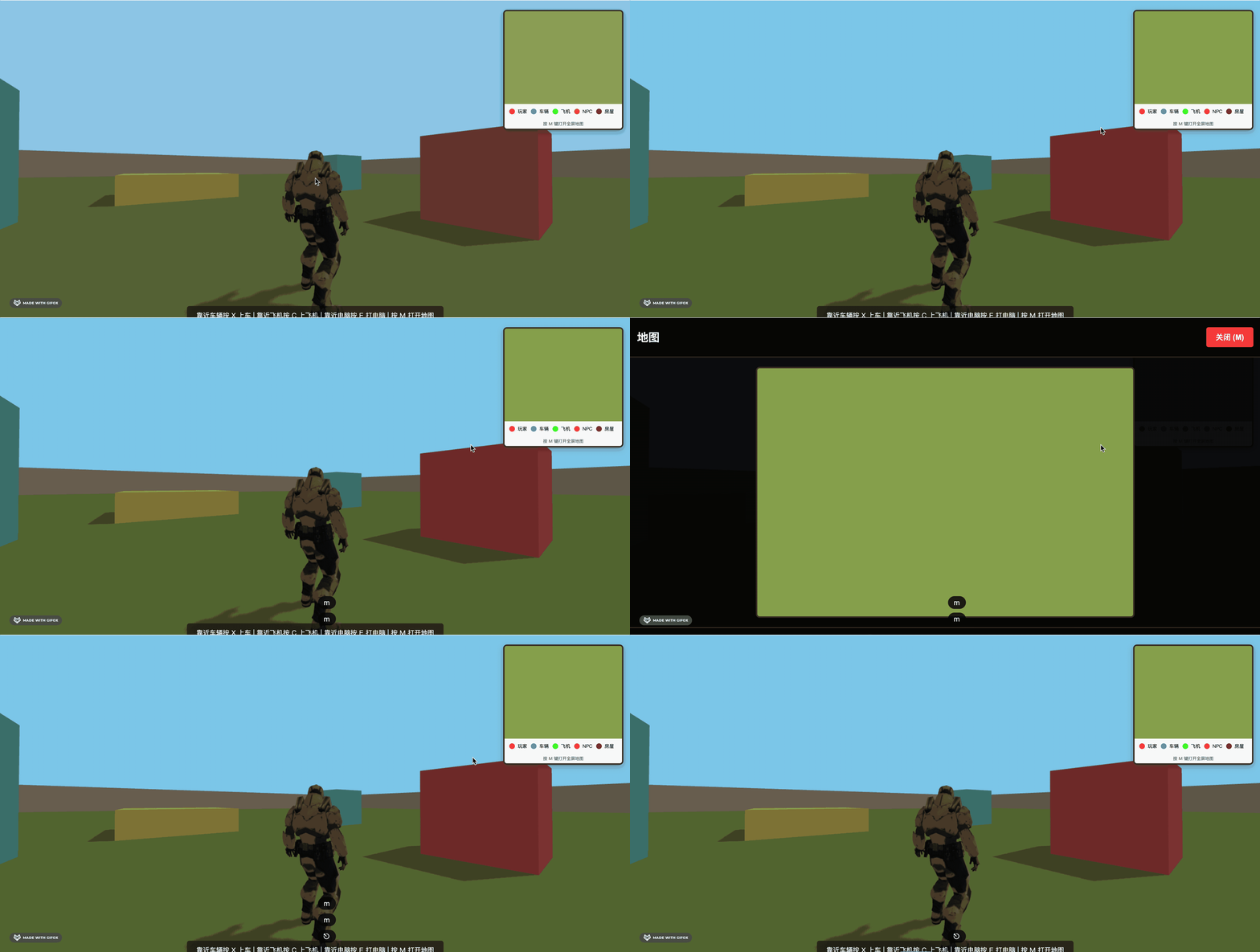
这样,小地图就绘制加好了。
案例代码上传了小册仓库
总结
这节我们加上了小地图。
首先用 html + css 把两种模式的样式、结构写好。
然后加一下 js 的显示切换逻辑。
我们留了 canvas 用来绘制玩家、npc 等的位置,下节绘制下。